Smart Bible apps · Android
How to compare Bible translations
Read translations side by side, adjust their panels and return to one text in Smart Bible for Android.
Smart Bible team · For version 4.x
Button names match the English interface; screenshots show the English interface.
On this page
Comparison shows several translations of a passage on one screen. First download the translations you want to compare; you need more than one installed translation.
Choose translations
- Open a chapter in Bible.
- Tap the current translation abbreviation at the top right.
- Choose Other translations to open the library.
- Tap Compare, available when several translations are downloaded.
- Select the translations and tap Apply.
The screen splits into reading panels. The example uses KJV and ASV. Each panel shows its translation abbreviation; check it before copying or saving a verse.
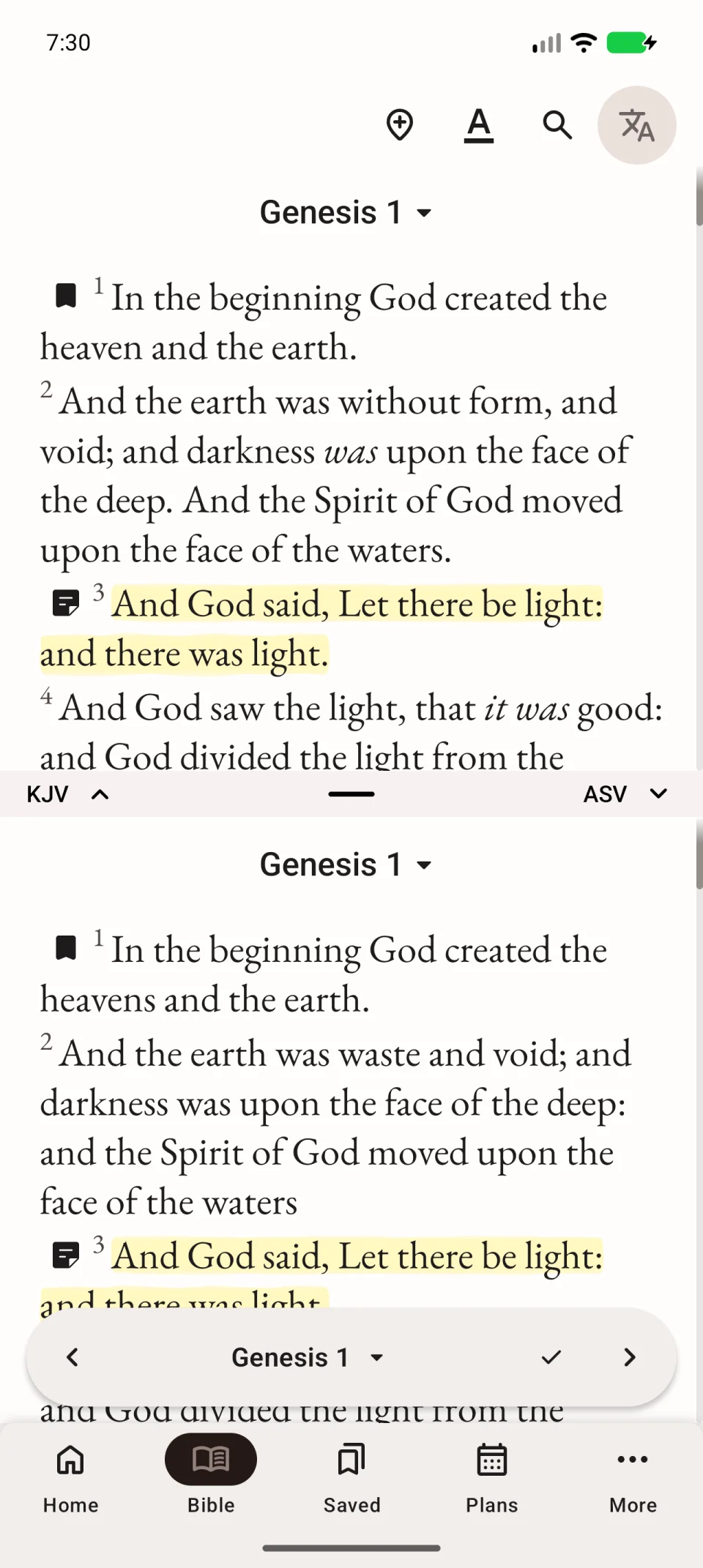
The video shows choosing two translations and opening the split view.
Adjust the panels
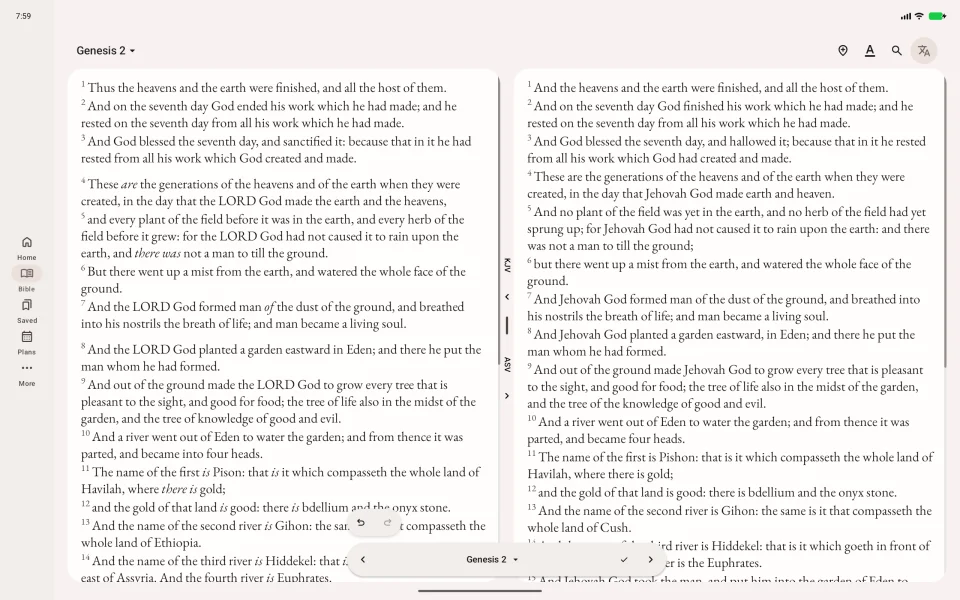
Tap Toggle split orientation on the divider to switch between stacked and side-by-side panels. Drag the divider to give one text more room.
Choose the intended panel before acting on a verse. Comparison does not combine different translations into one quotation.
Return to one text
- Tap Compare at the top right of the reading screen.
- Deselect the extra translations, leaving one.
- Tap Done.
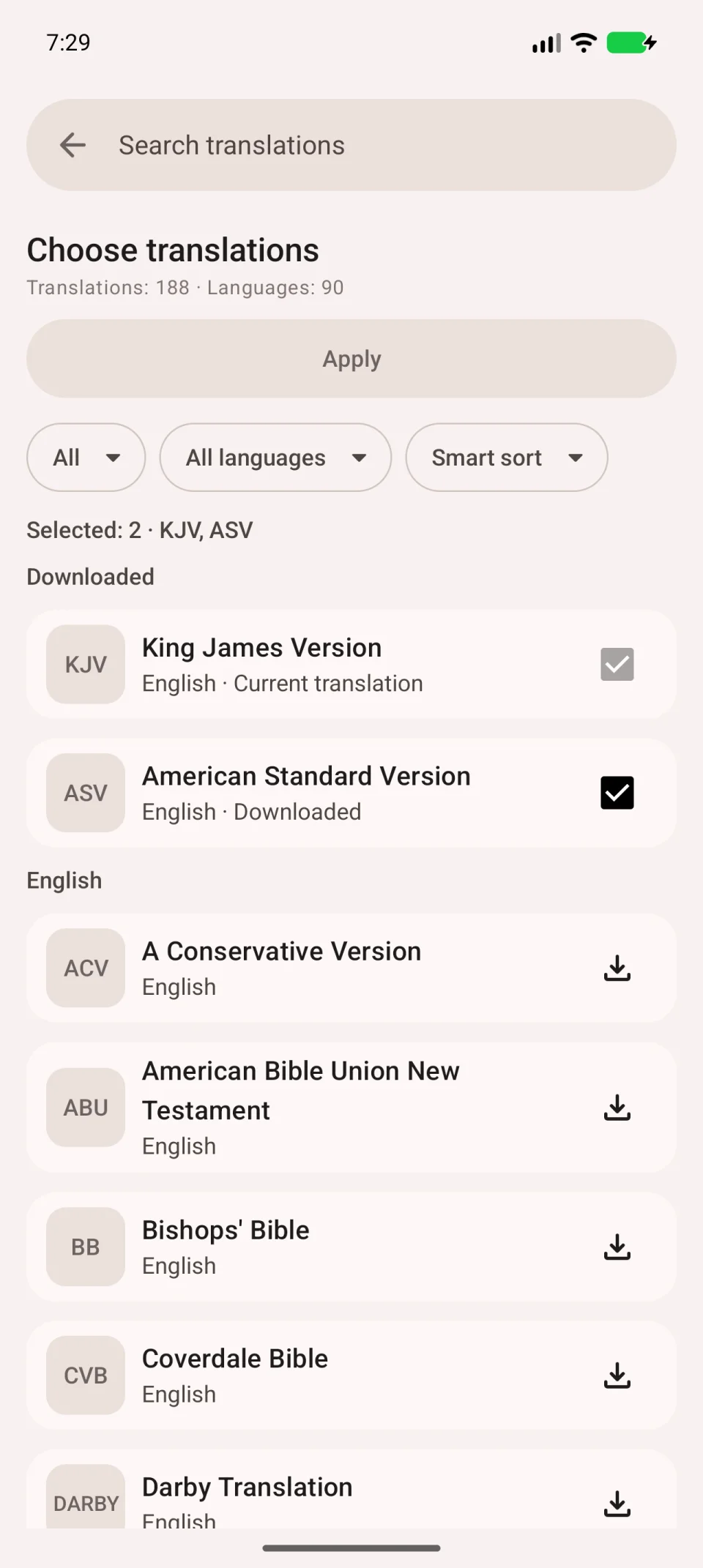
Closing comparison does not delete downloaded translations. They remain in the library.
If the contents differ
Translations may contain different books or use different verse numbering. A missing passage in one panel does not necessarily indicate a download error. Check whether the book exists in that translation, or open the corresponding passage separately.