Smart Bible apps · Android
How to update the app and report a problem
Find the installed version, check Google Play updates and prepare a useful support request for Smart Bible.
Smart Bible team · For version 4.x
Button names match the English interface; screenshots show the English interface.
On this page
Before contacting support, check for an update and record the steps that fail. Different apps can share a translation name, so give the exact app and version.
Check Google Play
- Open Google Play and find the installed app’s listing.
- Check its name and developer, Smart Bible Apps.
- Tap Update if available and wait for installation.
- Open the app and retry the failing action.
If only opening is available, the store currently offers no update for this device. Do not install a similarly named app instead of updating.
Read release notes
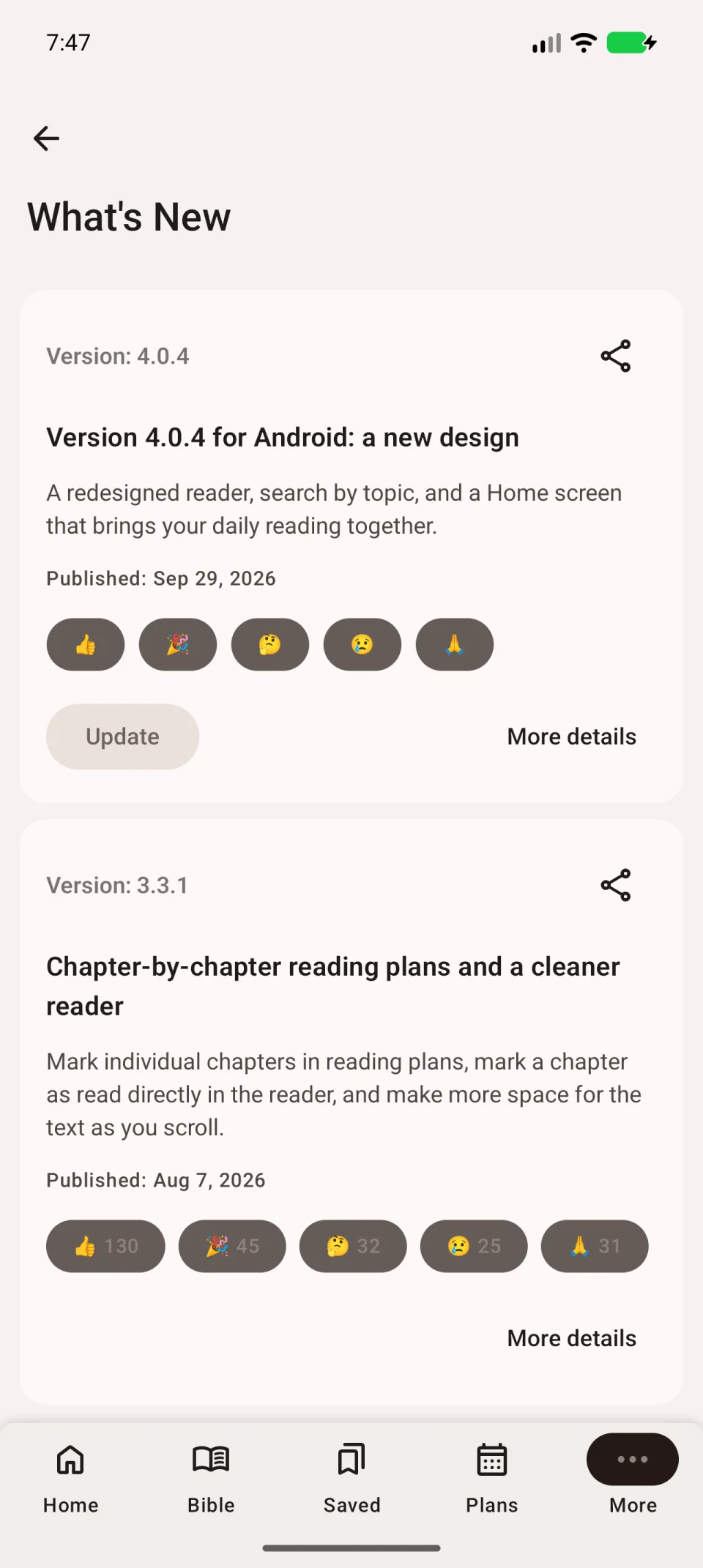
Open More → What’s new in the app for release changes.
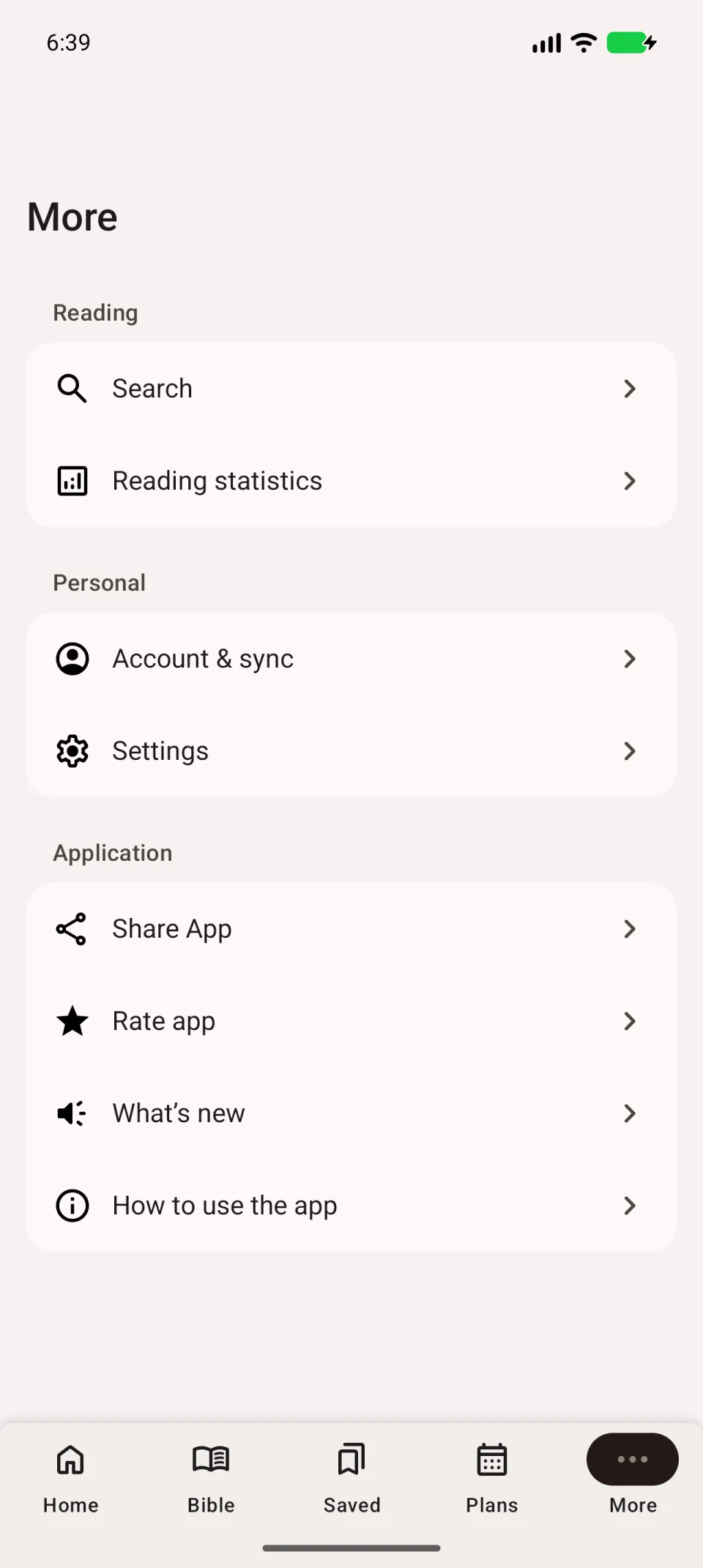
The release-notes version may differ from your installed version. For the exact number, hold the app icon, open Android’s app information and find its version. Its location depends on the phone.
Describe the problem
Include:
- App name and installed version.
- Phone model and Android version.
- Translation and, for a plan issue, the plan name.
- The sequence of actions.
- Expected and actual results.
- The exact error message, if any.
- Whether it happens every time and depends on internet access.
For example: “I open Bible, choose a chapter and tap Play. The button changes, but there is no sound through headphones or the speaker. An English voice is selected.” This helps identify the right check.
Attach an error screenshot or short recording. Hide personal notes and your account address unless needed to explain the issue.
Send the request
Open the support section of your app’s Google Play listing and use the developer contact there. Add your description. Passwords, sign-in codes and full payment-card numbers are not needed.
Preserve app data while waiting. For note-transfer issues, follow sync troubleshooting before signing out or reinstalling.