Smart Bible apps · Android
Notifications do not arrive or the widget does not update
Check reminder settings, Android permissions, background restrictions and widget sources in Smart Bible.
Smart Bible team · For version 4.x
Button names match the English interface; screenshots show the English interface.
On this page
Check reminders and widgets separately. Notifications depend on permission and timing; widgets need an existing verse collection, an available translation and a functioning Android home screen.
If a reminder does not arrive
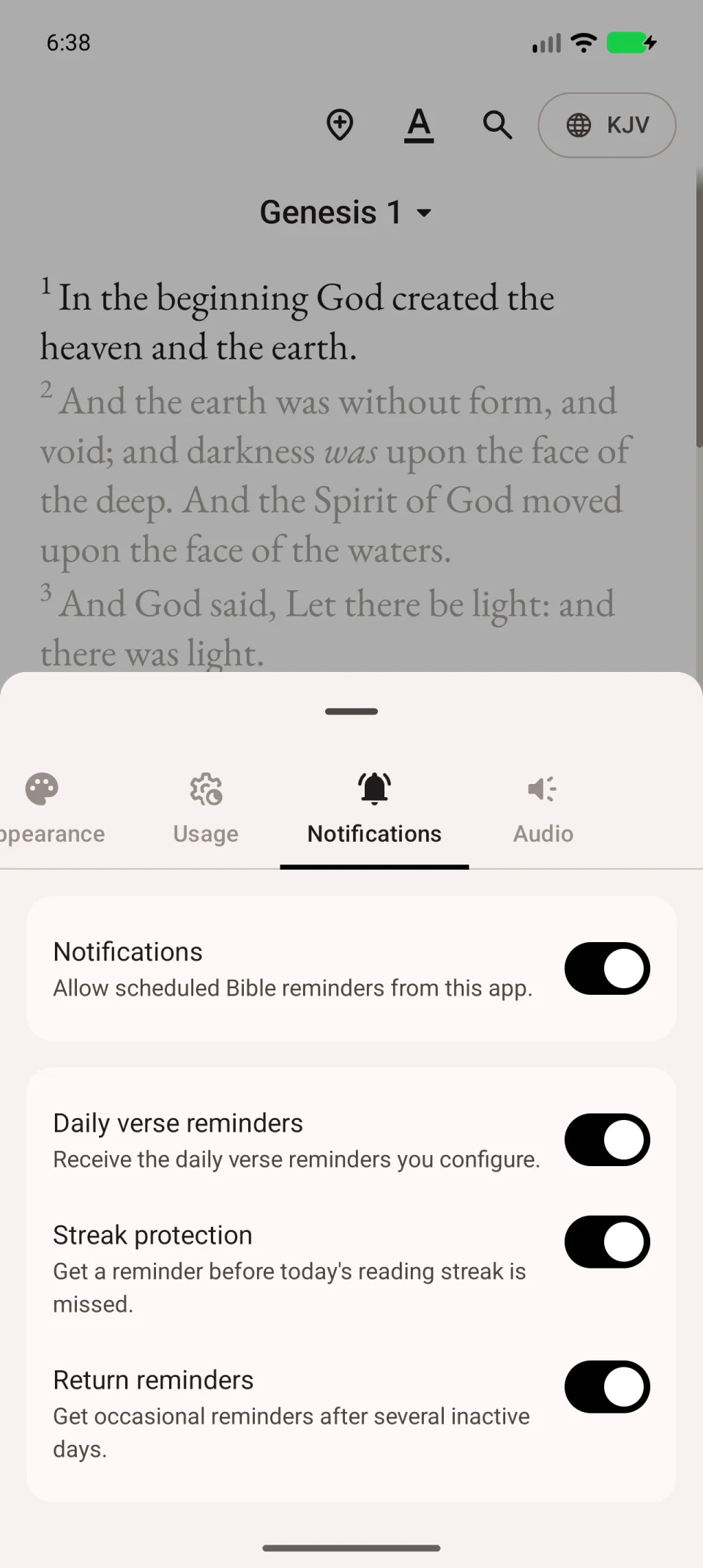
- Open More → Settings → Notifications.
- Check the main Notifications switch and required reminder type.
- For daily verses, open Home → daily verse card menu → Settings.
- Tap the collection’s pencil, enable its Notifications, check the time and save with the check mark.
Check Android permission
If Notification permission is disabled appears, tap Open settings and allow notifications.
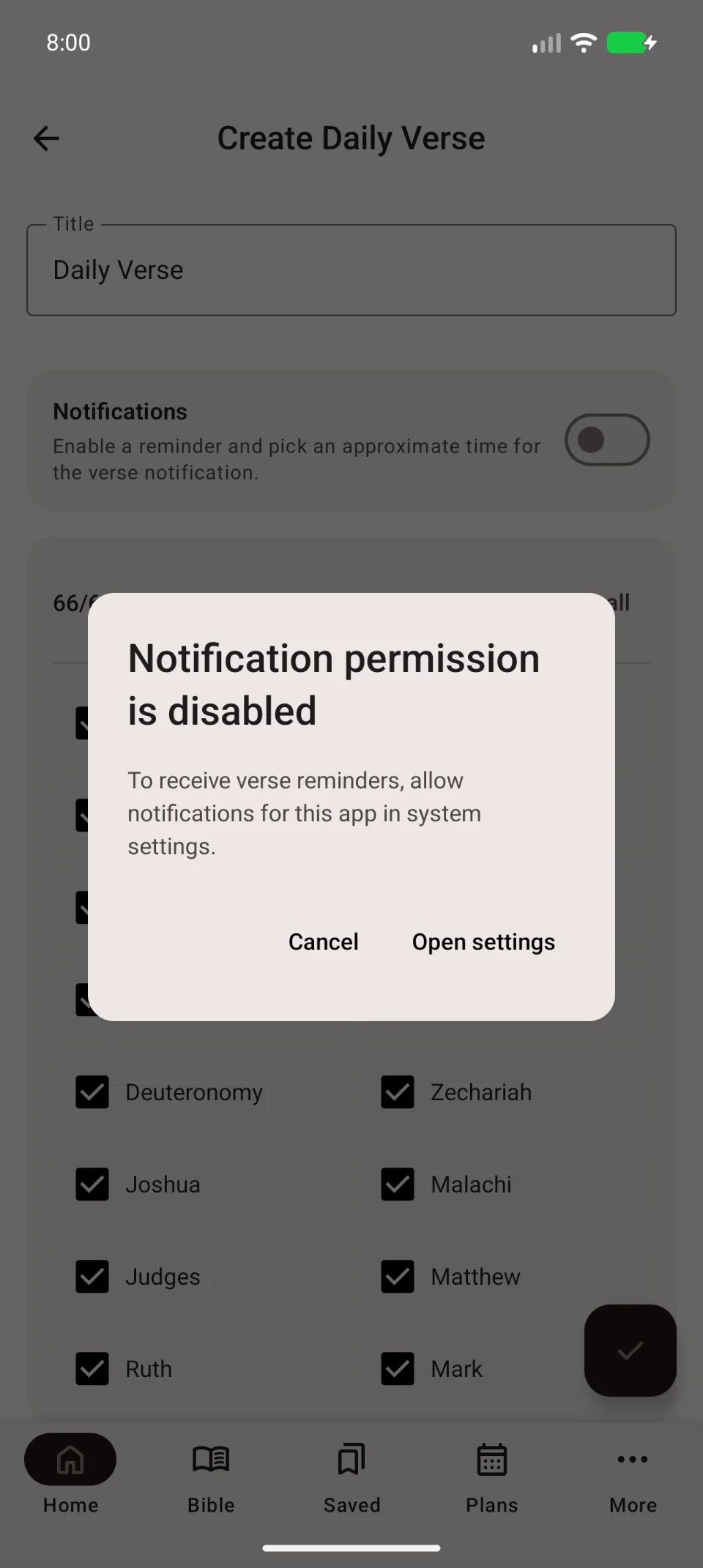
Otherwise, open Android’s app information and check notifications there. Also check Do Not Disturb, which may suppress sound or notification display.
If reminders arrive late
Check the phone’s time and time zone. Inspect background restrictions in system app settings; names vary by manufacturer. After a change, check the next reminder. A missed notification is not guaranteed to repeat immediately.
If the widget is empty or unchanged
- Open the app and check whether the collection displays a verse.
- If empty, tap its pencil and check selected books.
- Hold the widget on the phone’s home screen and open Settings.
- Check Daily Verse source and Bible translation. The collection must exist and the translation must be downloaded.
- Save and check the card.
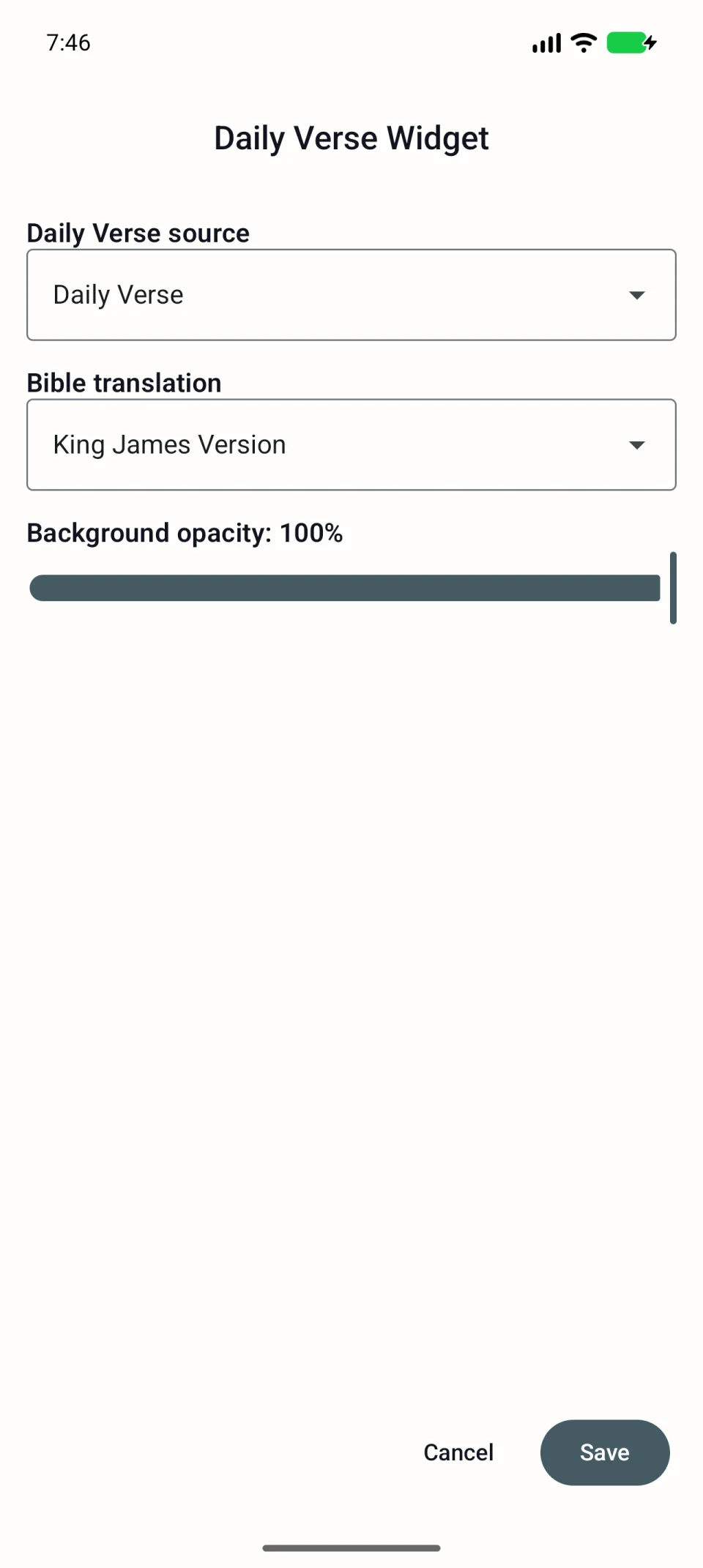
If a verse appears in the app but not the widget, remove only the home-screen card and add it again. Uninstalling the app is unnecessary.
What to tell support
Specify whether notifications, the widget or both fail. Include phone model, Android version, expected reminder time and actual result. For a separately installed launcher, include its name. See contacting support.