Smart Bible apps · Android
How to set reminders
Choose reminder types, set daily verse times and grant Android notification permission in Smart Bible.
Smart Bible team · For version 4.x
Button names match the English interface; screenshots show the English interface.
On this page
Reminders need both the app’s notification settings and Android permission. Set the daily verse reminder time separately for each collection.
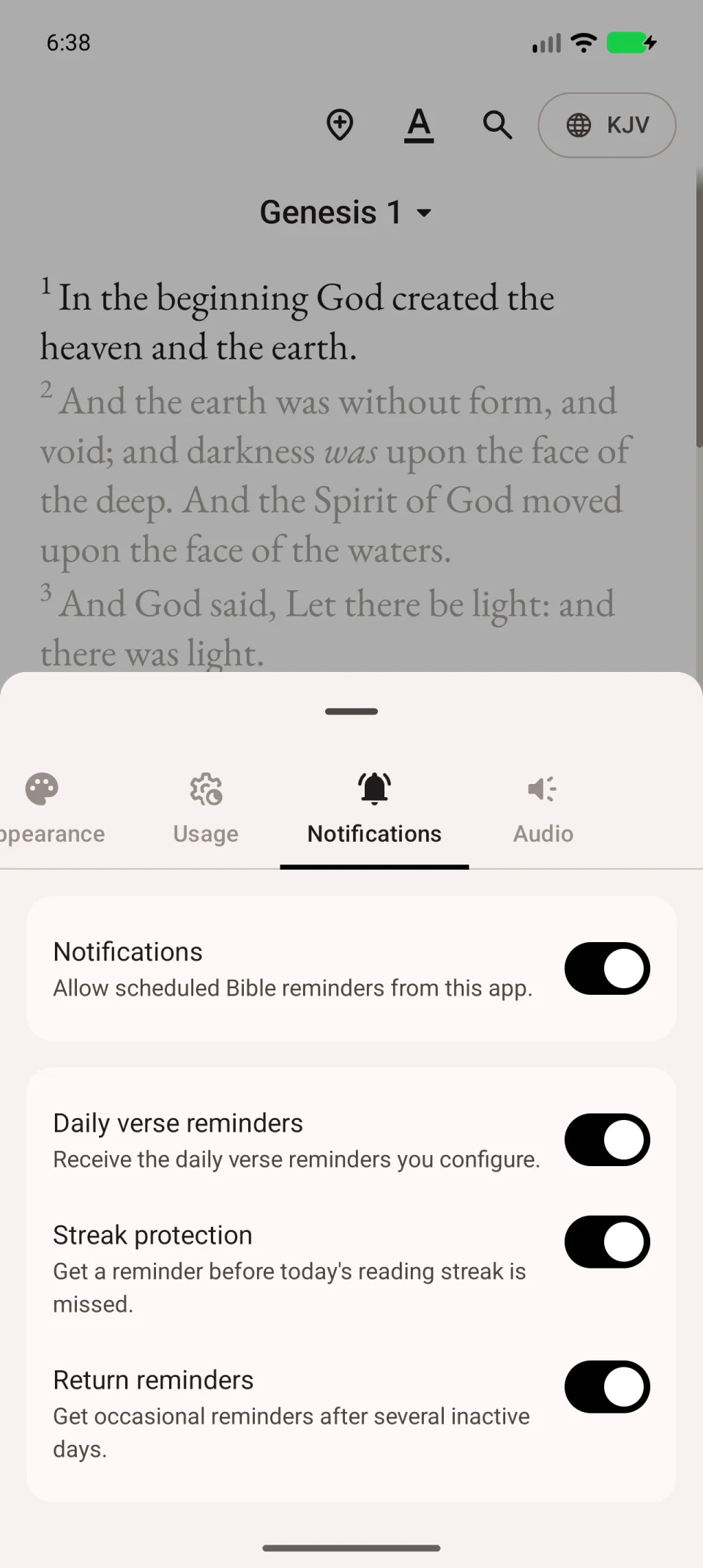
Choose reminders
- Open More → Settings.
- Open Notifications.
- Enable the main Notifications switch.
- Enable the reminder types you want.
| Setting | Purpose |
|---|---|
| Daily verse reminders | Verse notifications, at the time set in each collection. |
| Streak protection | Reminds you to read before missing a day. |
| Return reminders | Reminds you after a break from reading. |
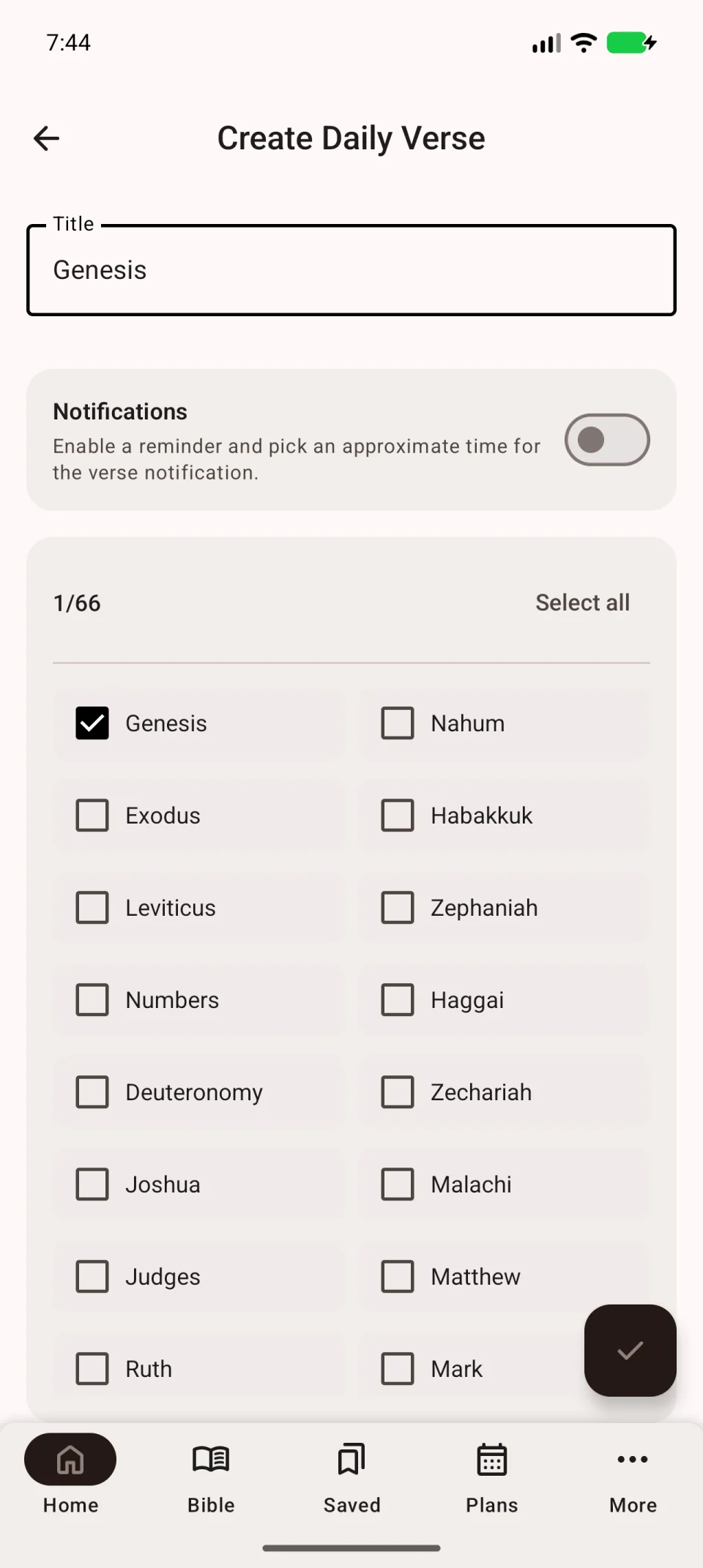
Set a daily verse time
- Return to Home.
- Open the daily verse card’s three-dot menu → Settings.
- Tap the pencil for the collection.
- Enable Notifications.
- Choose a time and save with the bottom-right check mark.
Repeat for each collection that needs a reminder.
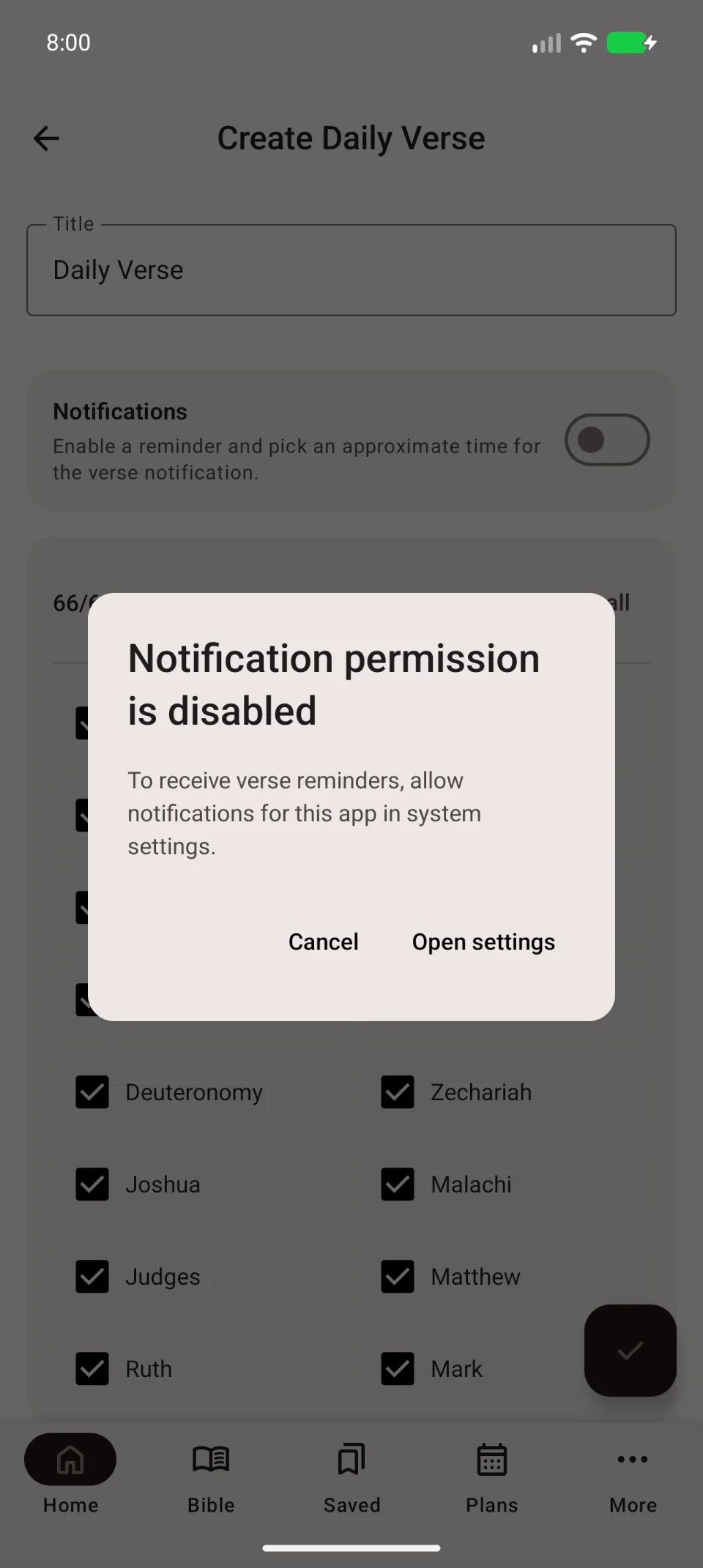
Allow Android notifications
Allow notifications when Android asks. If you previously refused, the app may display Notification permission is disabled.
Tap Open settings, allow notifications in Android and return. Check that the relevant switches remain enabled.
Turn reminders off
To stop one collection’s notifications, disable Notifications in its editor and save. To stop a whole reminder type or all app reminders, use Notifications in the main settings.
If enabled reminders do not arrive, see notification and background troubleshooting.