Smart Bible apps · Android
How to understand reading statistics
See chapter progress, reading time, activity days and streaks in Smart Bible for Android.
Smart Bible team · For version 4.x
Button names match the English interface; screenshots show the English interface.
On this page
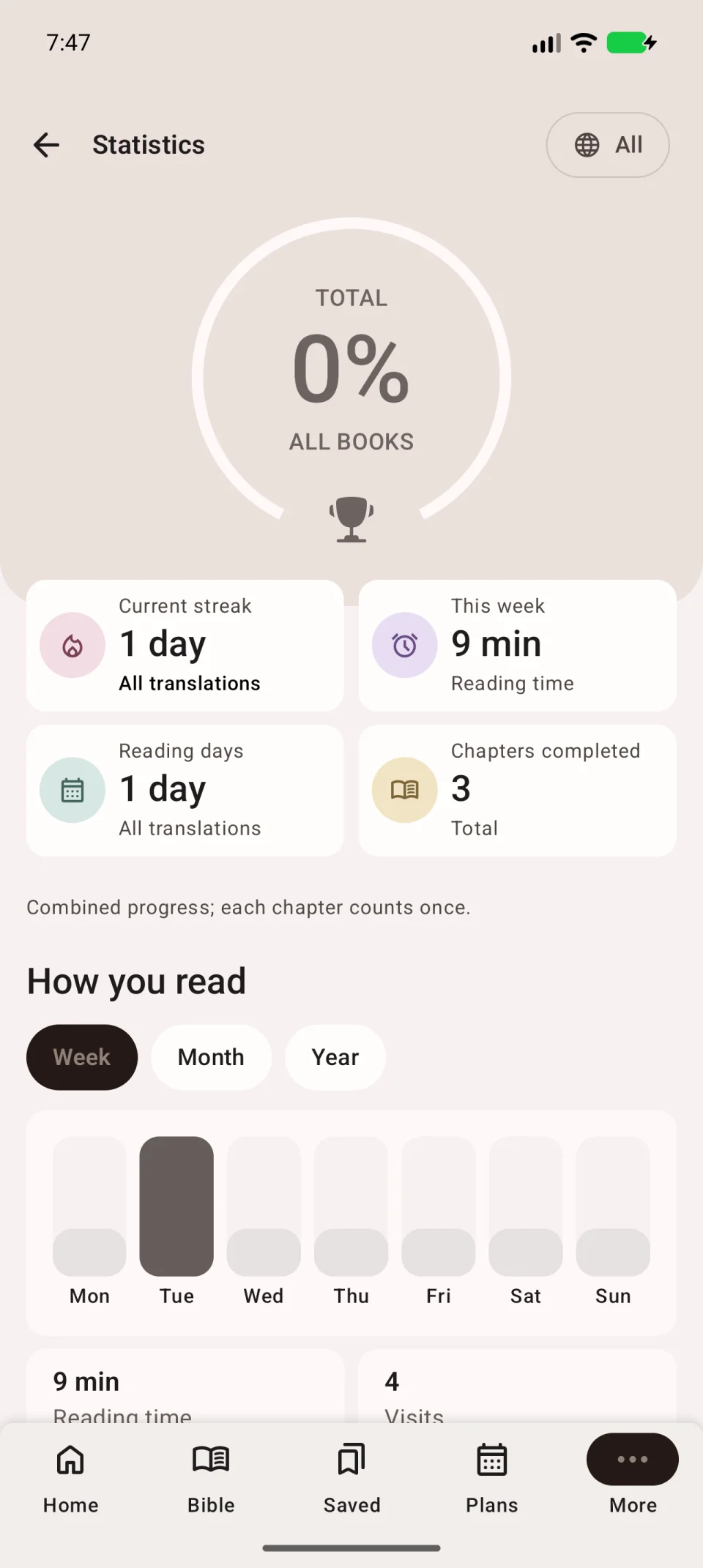
Statistics show how much you read, when you returned to Scripture and which chapters you completed. Open More → Reading statistics.
Main indicators
| Indicator | Meaning |
|---|---|
| Total | Chapter progress for the selected translation or all translations. |
| Current streak | Consecutive qualifying reading days. |
| This week | Recorded reading time this week. |
| Reading days | Days with qualifying activity. |
| Chapters completed | Chapters counted as complete. |
Change period or translation
Under How you read, choose Week, Month or Year. The chart shows reading distribution, with time and Visits below it.
Use the top-right button to change translations. Under All translations, the same chapter counts once even if read in several translations. Compare figures using the same translation and period.
Manual chapter marks belong to overall progress. A translation-specific figure uses reading in that translation, so the numbers can differ.
How days and chapters count
A day counts after 30 seconds of qualifying reading. Automatic chapter completion requires 60 seconds accumulated in that chapter. You can add or remove a manual mark separately.
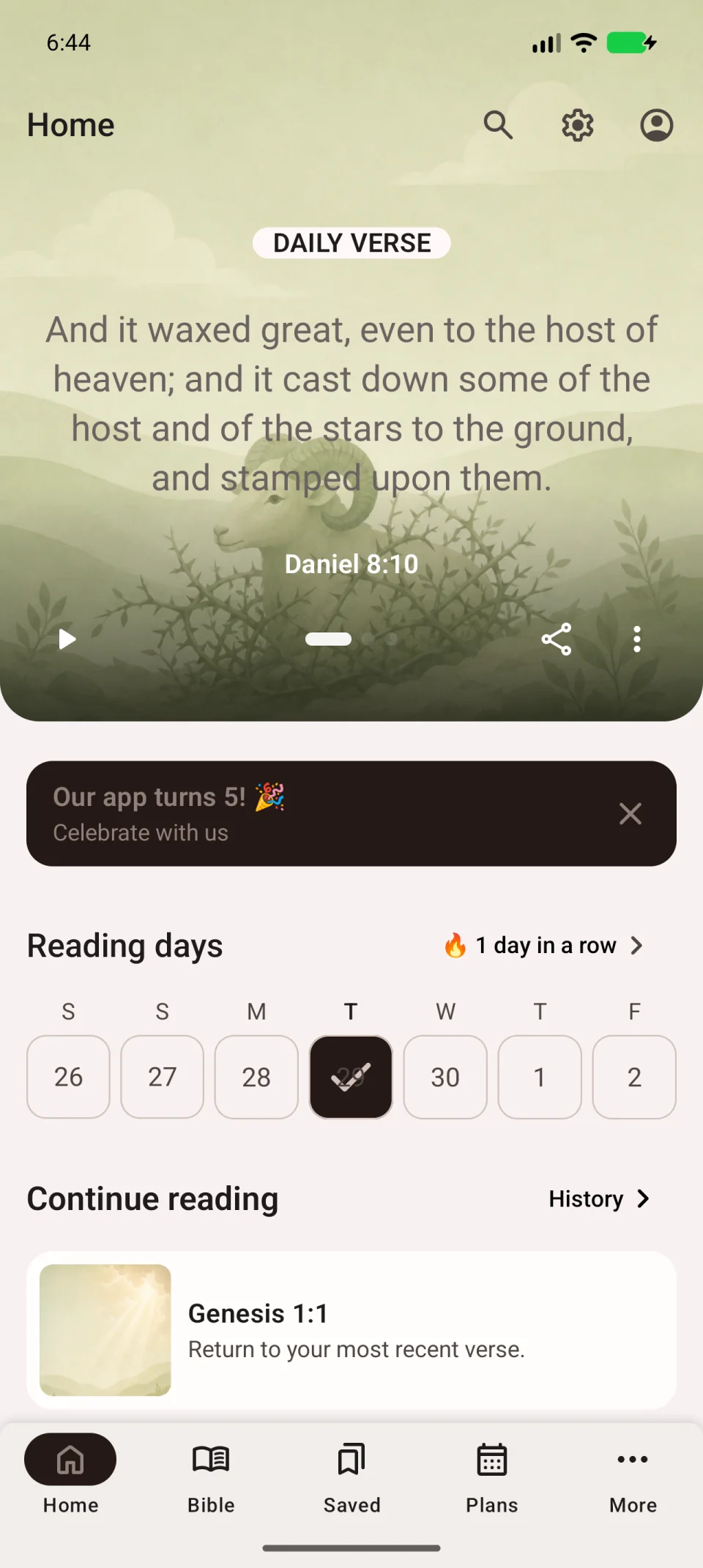
A streak joins consecutive qualifying days. The Reading days calendar on Home gives a quick view of activity.
Statistics measure activity in the app. A plan’s progress follows completed assignments and can differ from overall Bible progress.
If a figure does not change
Read a chapter, then reopen statistics. Check the translation, period, phone date and time zone. Do not change the date to repair a streak.
Overall time and streak statistics are not in the documented synced data list. Matching these numbers is not a reliable sole test of transfer to another phone.