Smart Bible apps · Android
How to mark chapters as read
Mark a chapter complete, undo a mark and understand its connection to plan readings in Smart Bible.
Smart Bible team · For version 4.x
Button names match the English interface; screenshots show the English interface.
On this page
The Read mark means a chapter is complete. It does not save a specific verse; use a bookmark or reading pin for that.
Mark a chapter manually
- Open Bible and choose a chapter.
- Scroll to the end.
- Tap Read, the check-mark button on the right above the bottom toolbar.
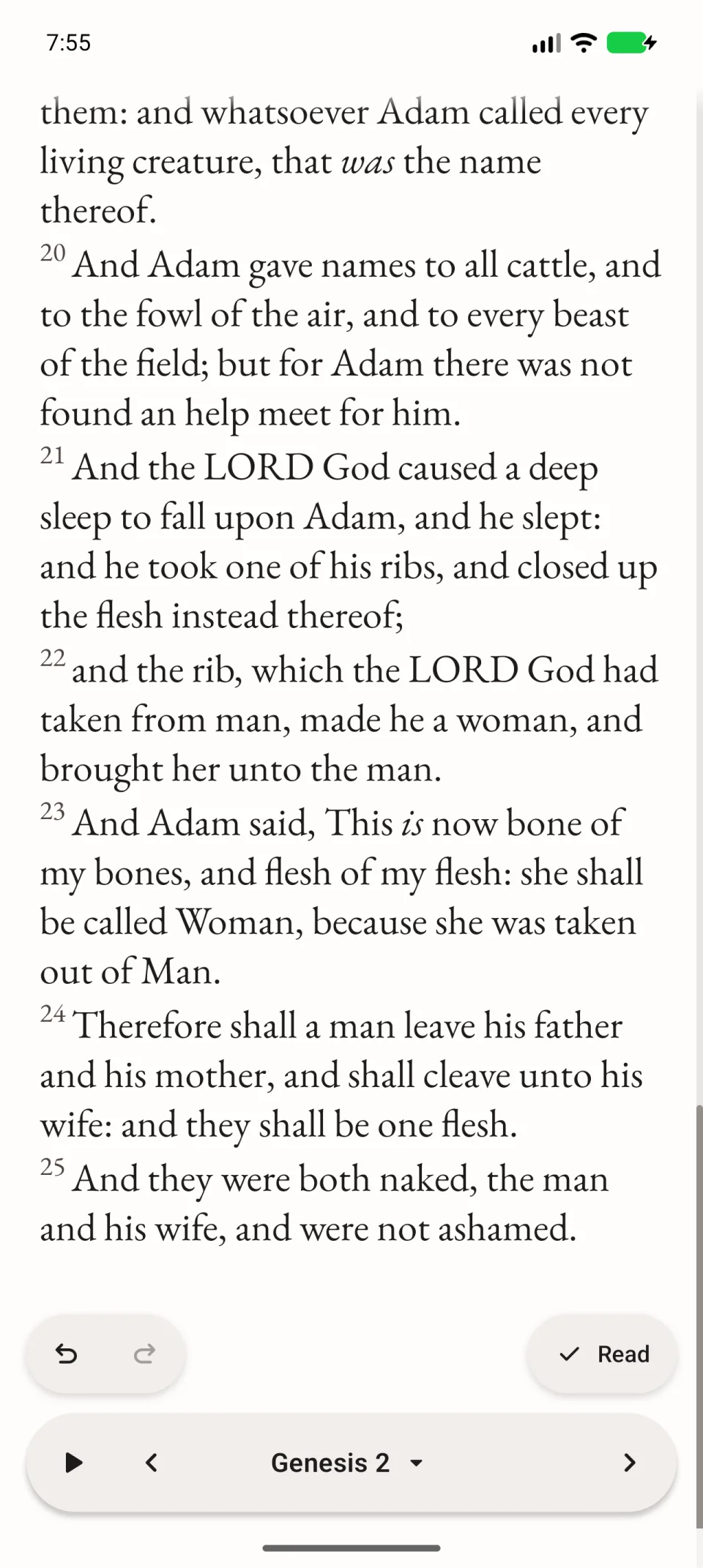
A message confirms the chapter mark. If it also marks a reading-plan assignment, the message says so.
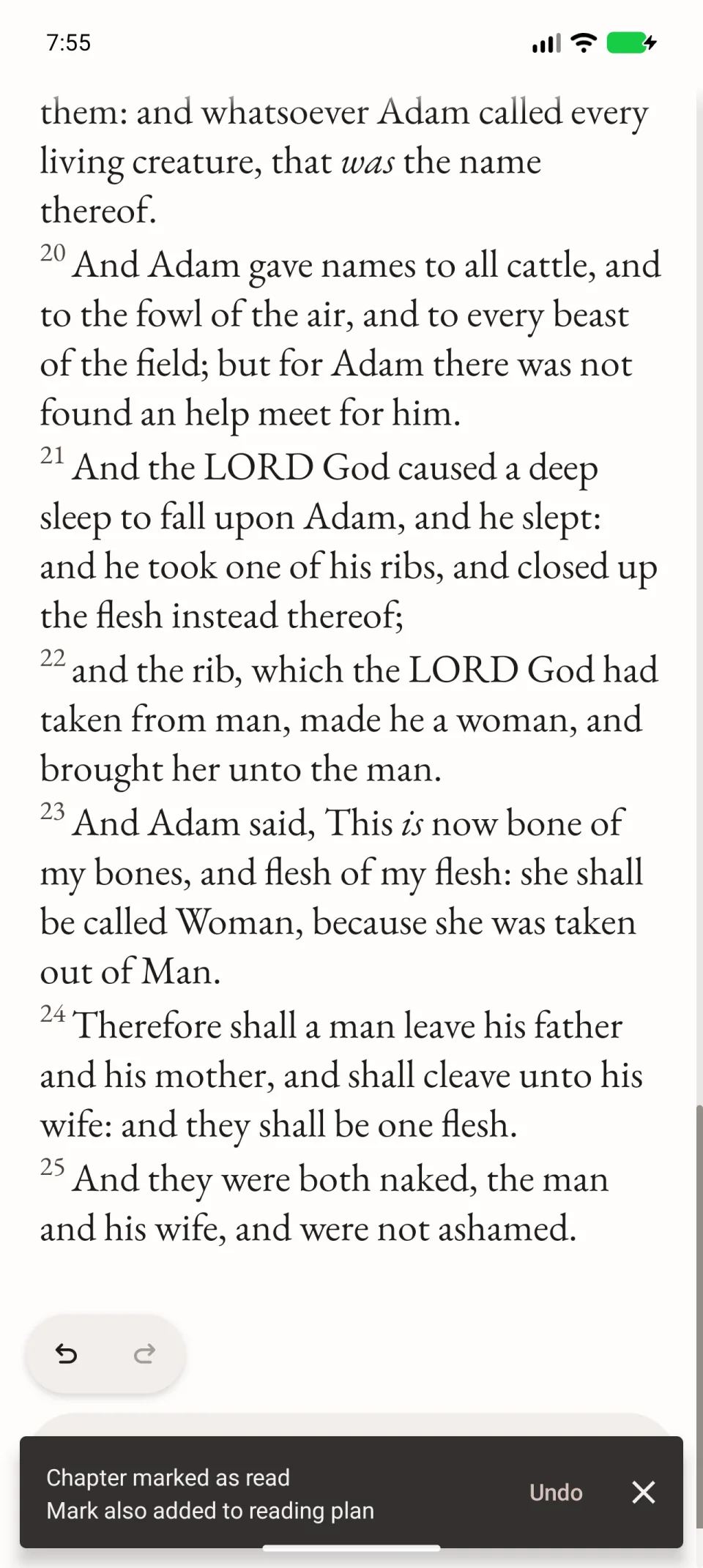
Undo a mistaken mark
Tap Undo while the confirmation is visible. Later, reopen the chapter and tap the check mark beside its name in the bottom toolbar to mark it unread.
This changes the chapter’s state. Its text, bookmarks and notes remain.
When reading a plan
For a passage opened from a plan, use Mark passage as read above the bottom toolbar. Return to the assignments and inspect their marks; one chapter may be only part of the day’s reading.
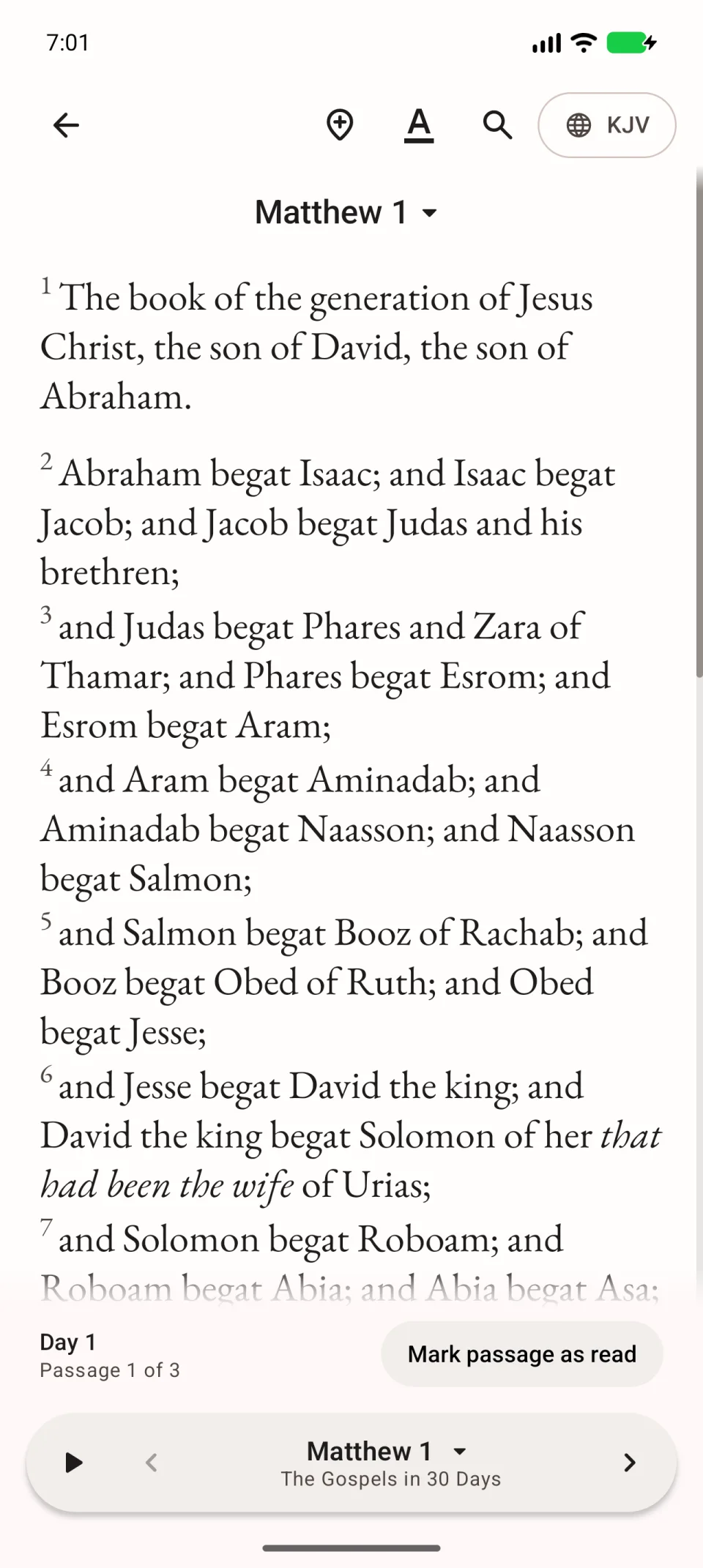
See completing daily plan readings.
How marks differ from reading days
A chapter can be marked automatically after enough recorded reading time, and you can change it manually. Activity days and streaks are calculated separately. Manually marking a chapter therefore does not create a new reading day. See reading statistics for the rules.