Smart Bible apps · Android
How to finish, repeat or delete a plan
Understand completion, restart, deletion and saved-for-later plans in Smart Bible for Android.
Smart Bible team · For version 4.x
Button names match the English interface; screenshots show the English interface.
On this page
Keep a completed plan in history or read it again. Restarting and deleting affect current marks, so first choose the action that matches your goal.
| Goal | Action |
|---|---|
| Resume after a break and keep completed work | Move schedule to today |
| Read the whole plan again from day one | Restart |
| Remove a downloaded plan and its current marks | Delete |
| Remove a plan saved for later | Remove from saved |
Check completion
Open Plans → My plans, choose the plan and inspect its assignments. Completion means all passages on all days are marked. If unfinished, choose Go to first unread in the three-dot menu to find remaining work.
After all assignments are complete, find the plan under Completed. Leave it there as a record of your reading.
Start another run
- Open the plan.
- Open the top-right three-dot menu → Restart.
- Confirm if you are ready to clear the current run’s marks.
- Check the first day and starting date; the new run starts today.
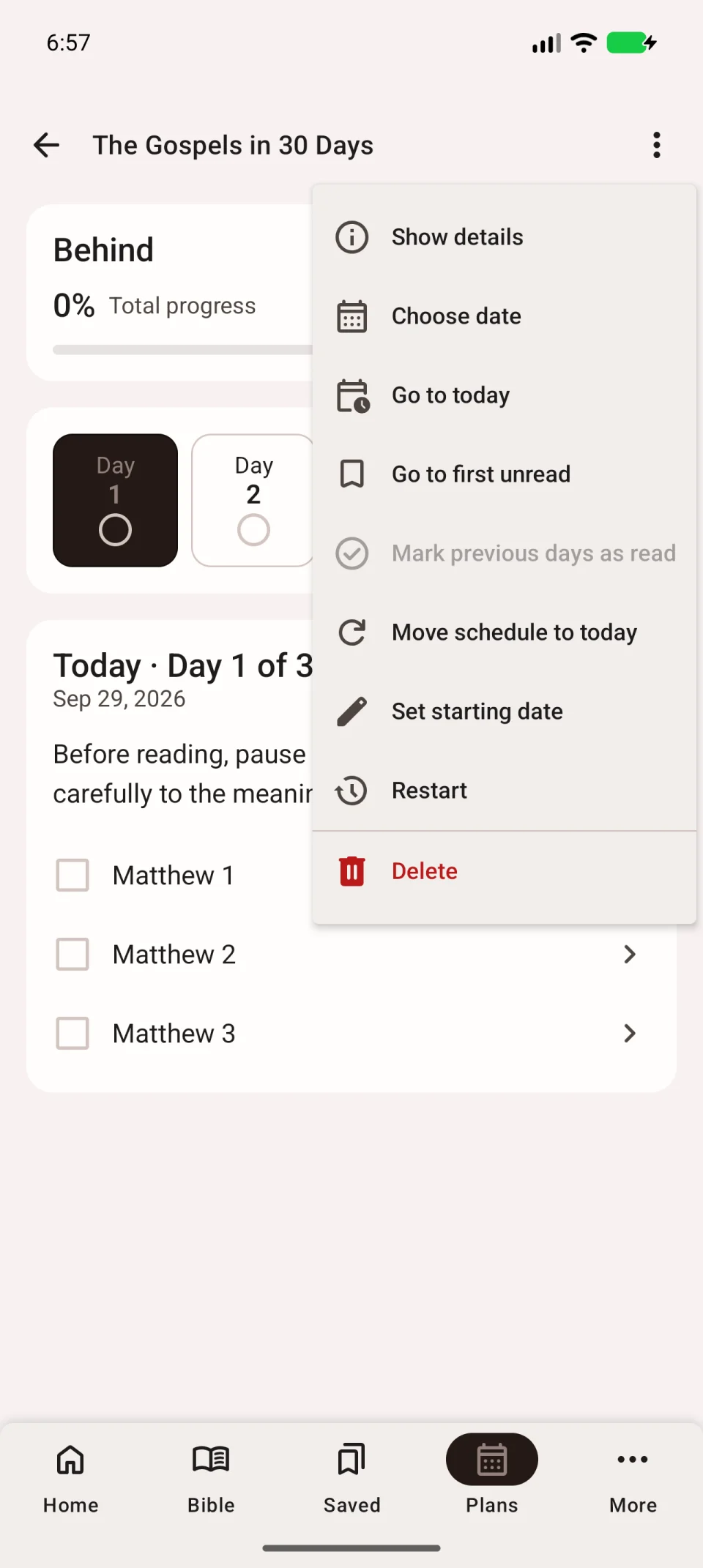
For another date, use Set starting date in the same menu. Earlier completed runs remain in history, but restarting clears current marks.
Delete a downloaded plan
Open the plan → three-dot menu → Delete. Check its name before confirming.
The plan disappears from downloads and its current completion marks are cleared. If active, the active plan is reset. The Bible translation, bookmarks and notes remain. Downloading the plan again does not restore the previous current marks.
Remove a plan saved for later
Open its card and choose Remove from saved to remove it from the saved-for-later list.
If you only fell behind on dates, adjust the schedule to resume unread work while keeping completed assignments.