Smart Bible apps · Android
How to choose and start a reading plan
Find and download a plan, open its first assignment and set a starting date in Smart Bible for Android.
Smart Bible team · For version 4.x
Button names match the English interface; screenshots show the English interface.
On this page
A reading plan distributes chapters and passages across days. Choose a manageable amount, download the plan and open the first day’s assignment. Use Save for later to keep an interesting plan without starting it.
Find a plan
- Tap Plans in the bottom navigation.
- Open Find plans.
- Browse the catalogue or search by name.
- Use filters for duration, contents or reading approach if there are too many choices.
- Tap a plan card to read its description.
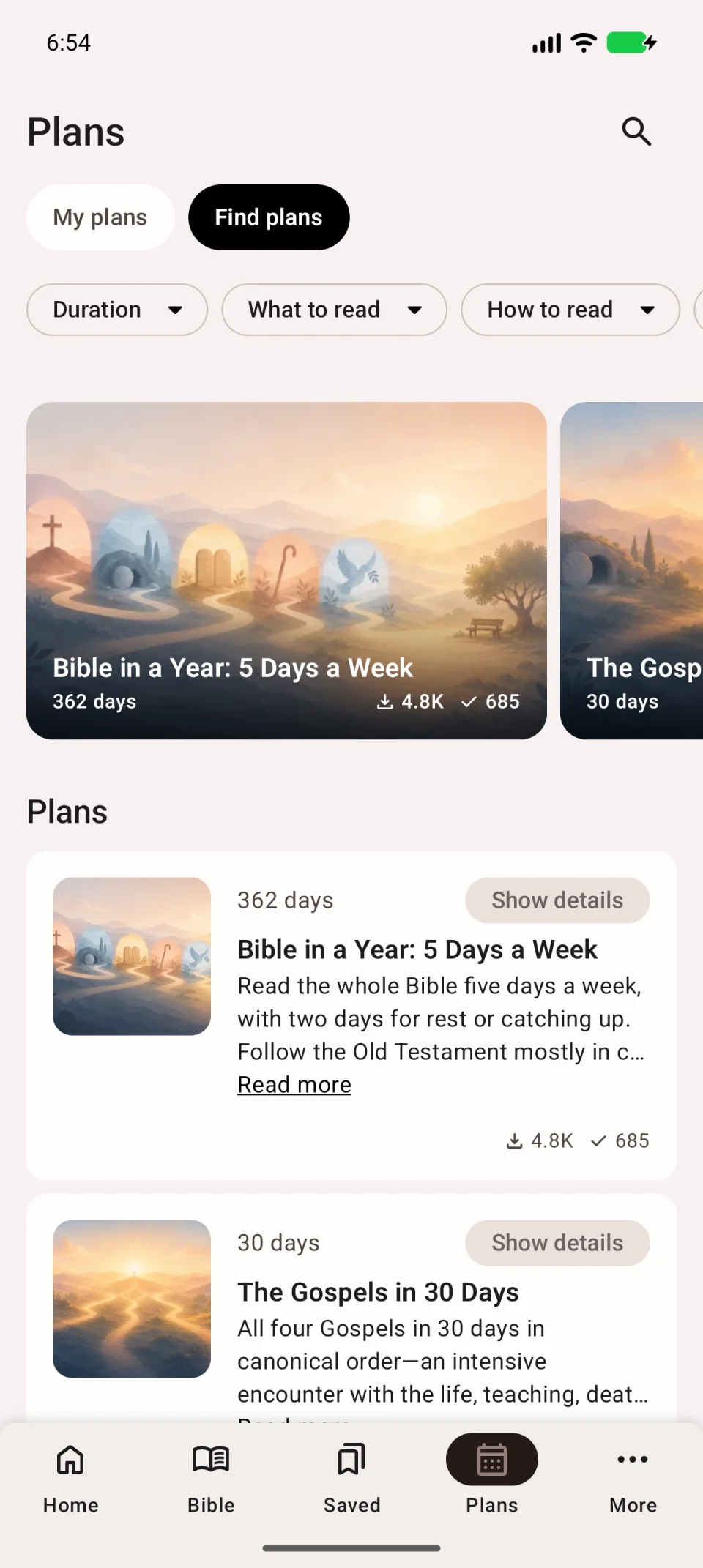
Check its length in days and what you will read. Start with an amount you can manage regularly.
Download the plan
- Tap Download on its description page.
- Wait for completion. The plan opens with its calendar and assignments.
Save for later puts the plan in a separate list. It does not replace downloading and starting it.
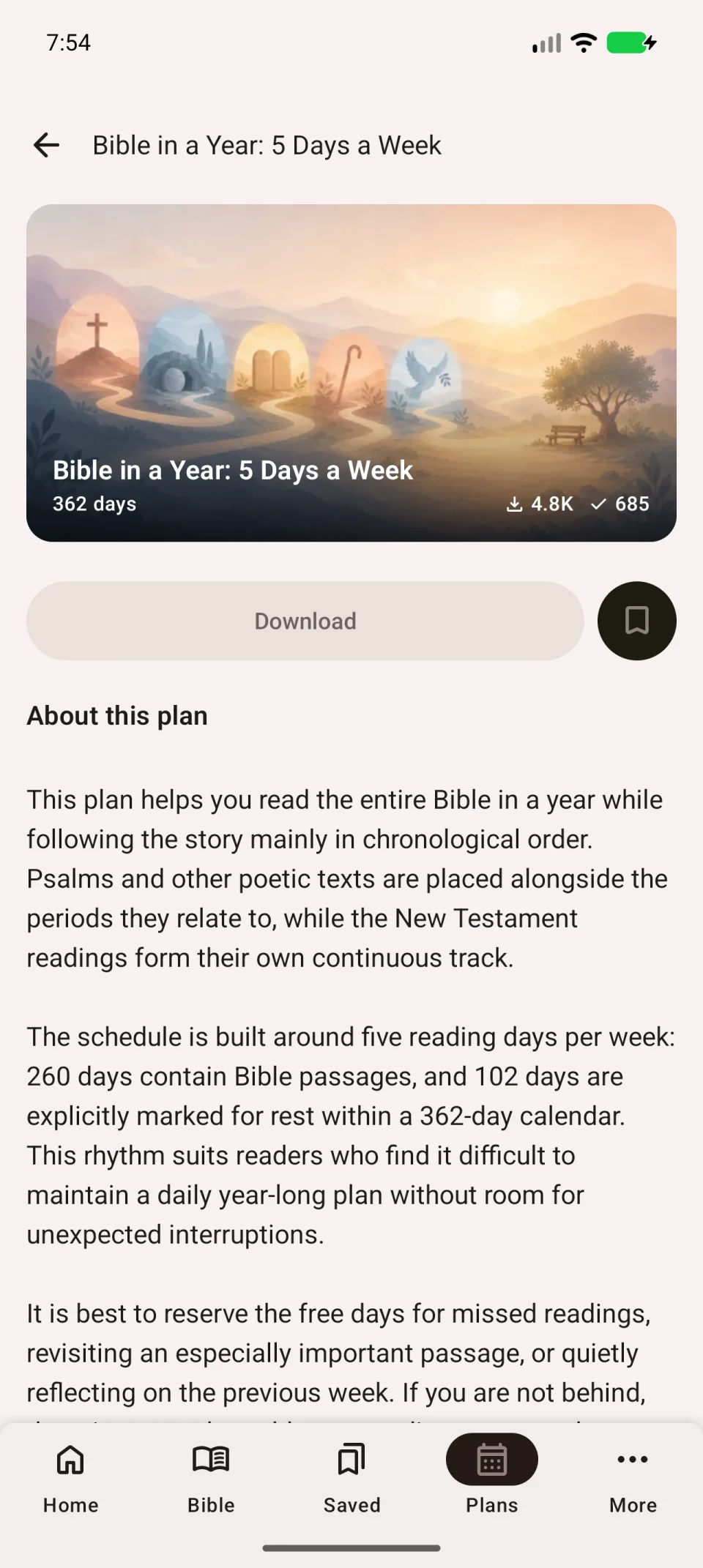
The video shows choosing a plan and moving from download to assignments.
Open the first assignment
- Select the first day in the plan calendar.
- Expand the chapter list if it is collapsed.
- Tap the arrow to the right of a chapter to open its text.
- Check the translation at the top right; switch it if needed.
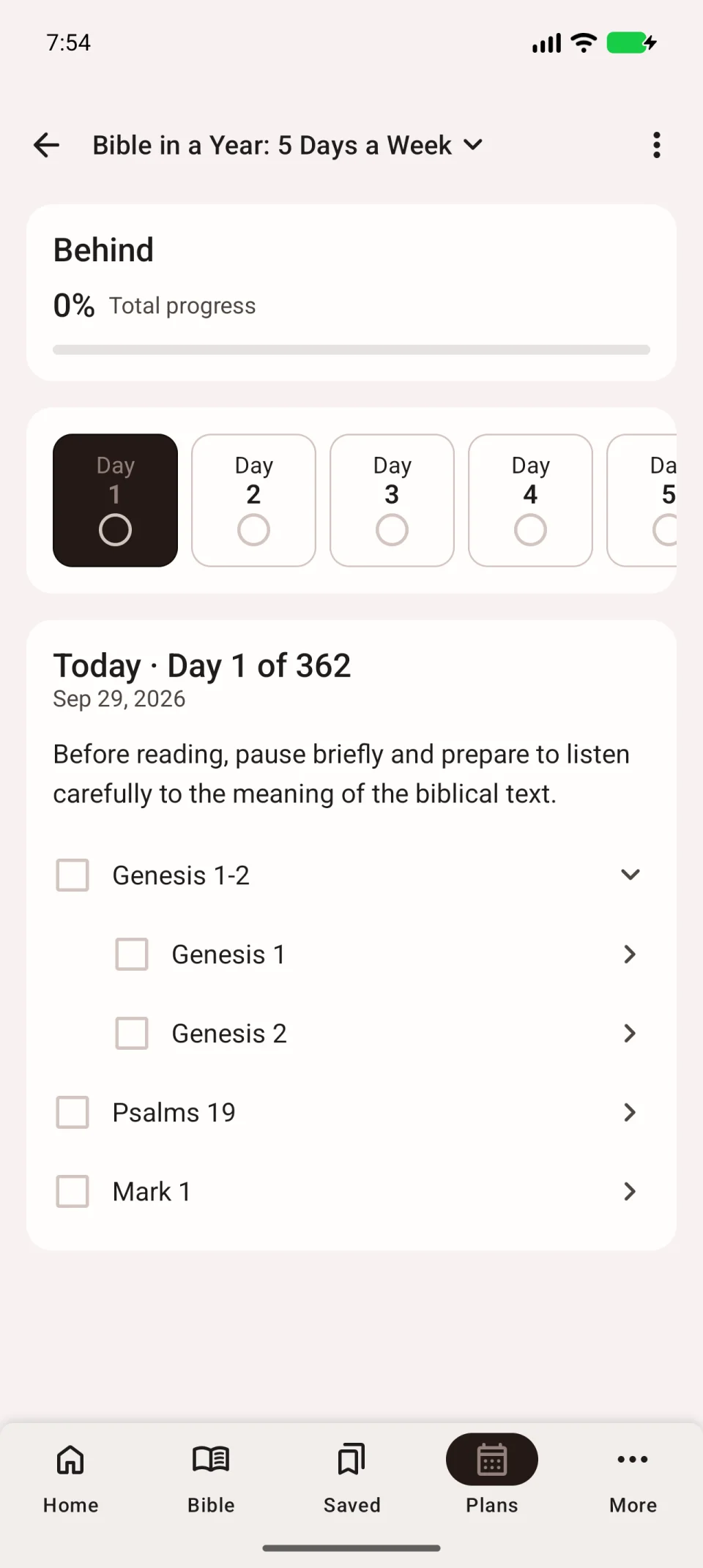
For another starting date, return to the plan and open the top-right three-dot menu → Set starting date. Choose a date and check the calendar.
Return later
Open Plans → My plans and select the plan. See daily reading to mark assignments and continue.
For offline use, download both the plan and its Bible translation. If a required book is missing, choose a translation containing it. See download troubleshooting if loading does not finish.