Smart Bible apps · Android
What to do if you fall behind a plan
Move the remaining schedule to today while keeping completed readings, or mark earlier work in Smart Bible.
Smart Bible team · For version 4.x
Button names match the English interface; screenshots show the English interface.
On this page
After a break, you can continue from the first unread assignment and move the remaining schedule to today. Completed assignments keep their marks. First mark any reading you did outside the app.
Move remaining assignments to today
- Open Plans → My plans and select your started plan.
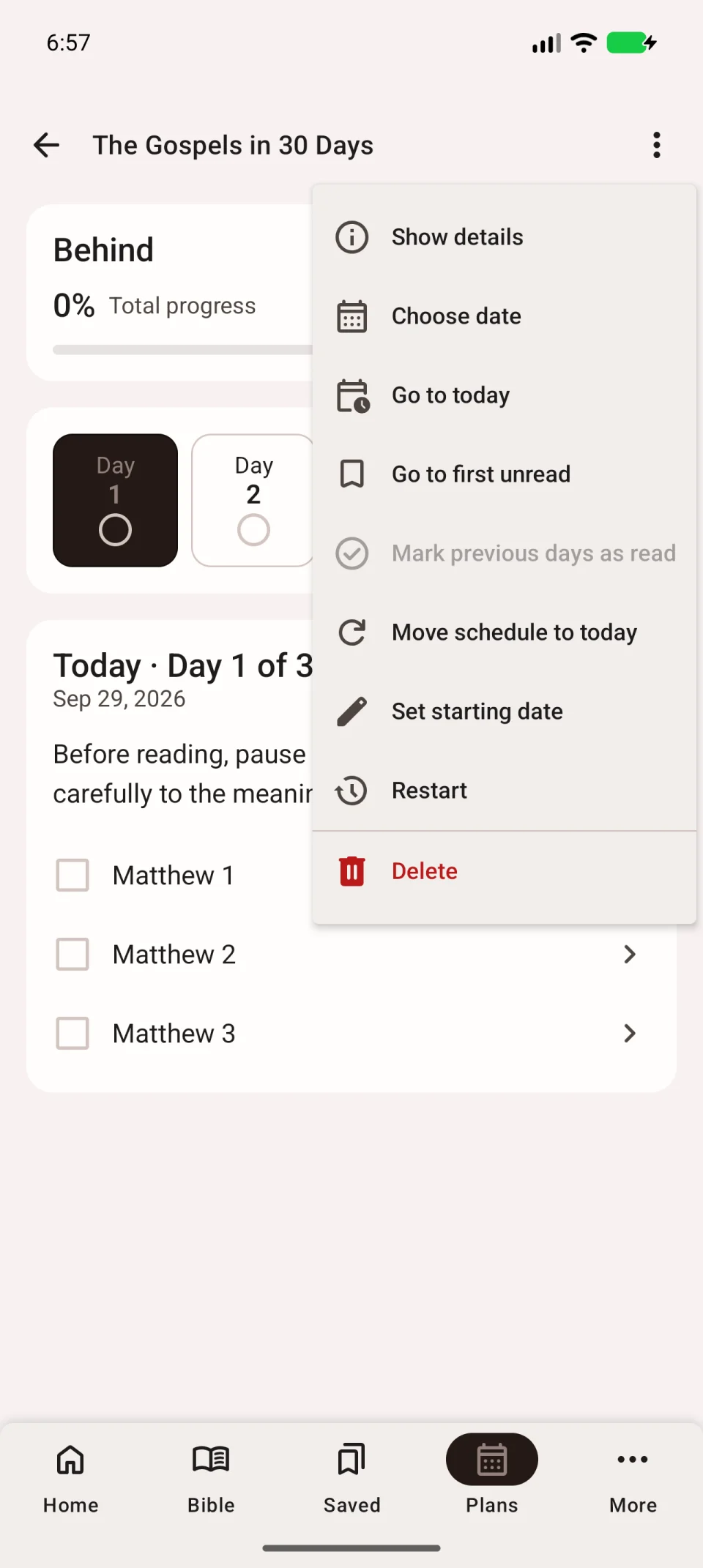
- Tap the three dots at the top right.
- Choose Move schedule to today.
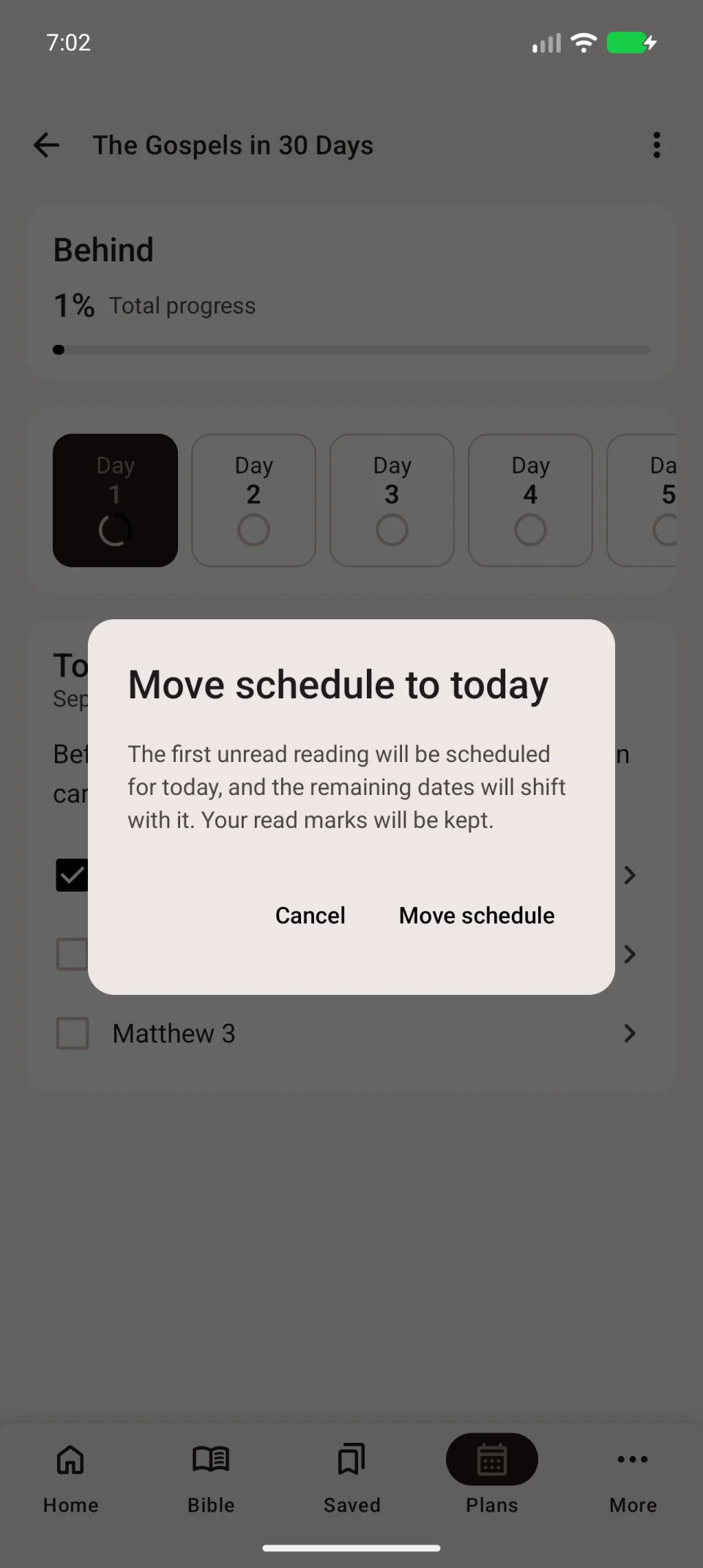
- Read the schedule-change message.
- Confirm with Move schedule.
The first unread assignment becomes today’s reading. Later dates move with it; completed assignments keep their marks.
Open the menu again → Go to first unread. Check that its day is dated today and continue reading.
If you read without marking it
Open the corresponding days and mark assignments individually if you read out of order.
If you completed everything before a particular day:
- Select that day in the calendar.
- Open the three-dot menu → Mark previous days as read.
- Check which earlier days will be marked before confirming.
- Review the marks and find the first genuinely unread assignment.
This command changes progress. Use it for completed reading, not just to remove a date backlog.
When to restart
Restart clears marks for the current run and is for reading the entire plan again. Use schedule adjustment to keep completed work and change only dates.
See repeating and deleting plans for details.