Smart Bible apps · Android
How to choose a voice and adjust speech
Select an Android voice, change speech rate and pitch, and prepare offline listening in Smart Bible.
Smart Bible team · For version 4.x
Button names match the English interface; screenshots show the English interface.
On this page
You choose the reading voice in the app, but Android supplies the list. Two phones may therefore offer different voices and languages. Choose a voice in the language of the Bible text.
Open the voice list
- In Bible, tap the underlined A at the top.
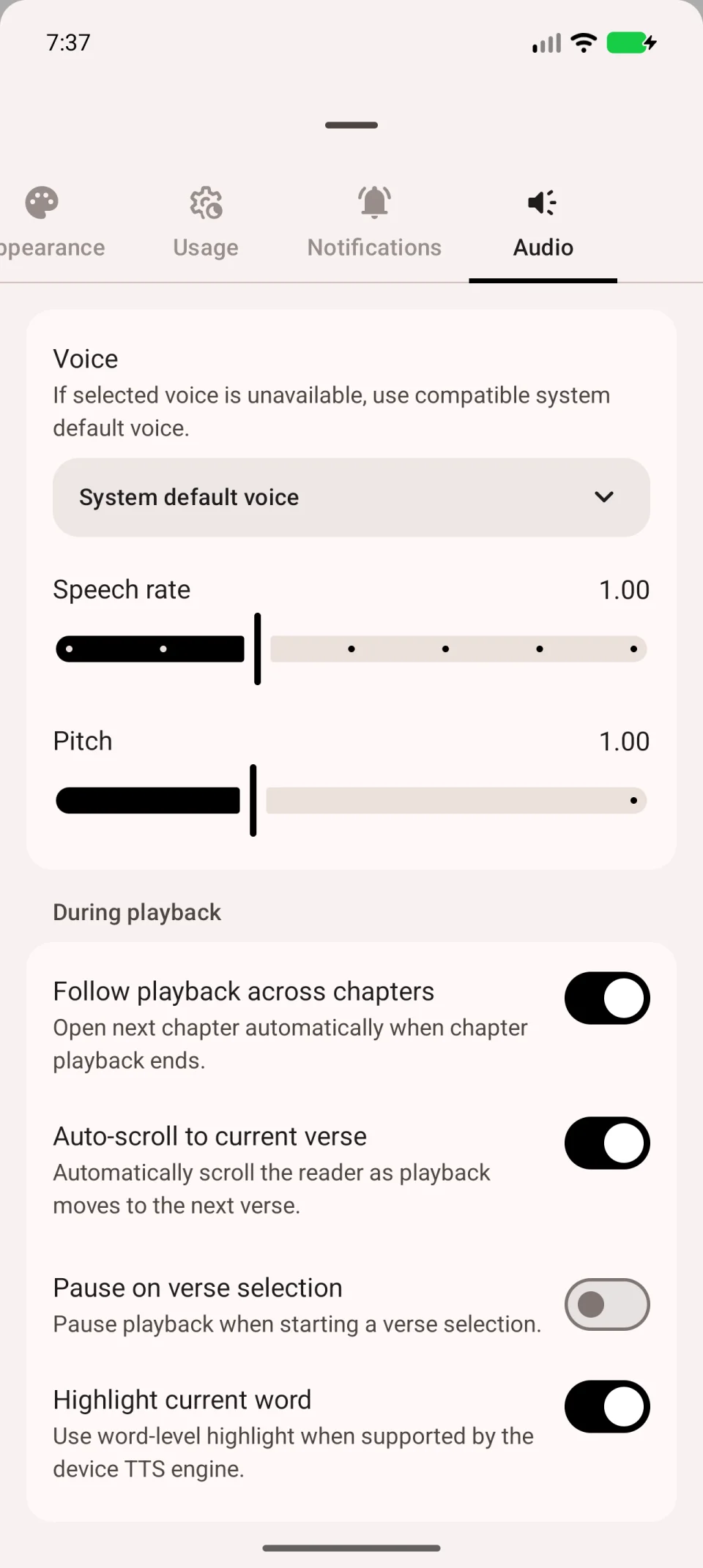
- Open Audio; swipe the tab row sideways if necessary.
- Tap Voice.
- Select a voice and return to the chapter.
- Start playback and listen to a few verses.
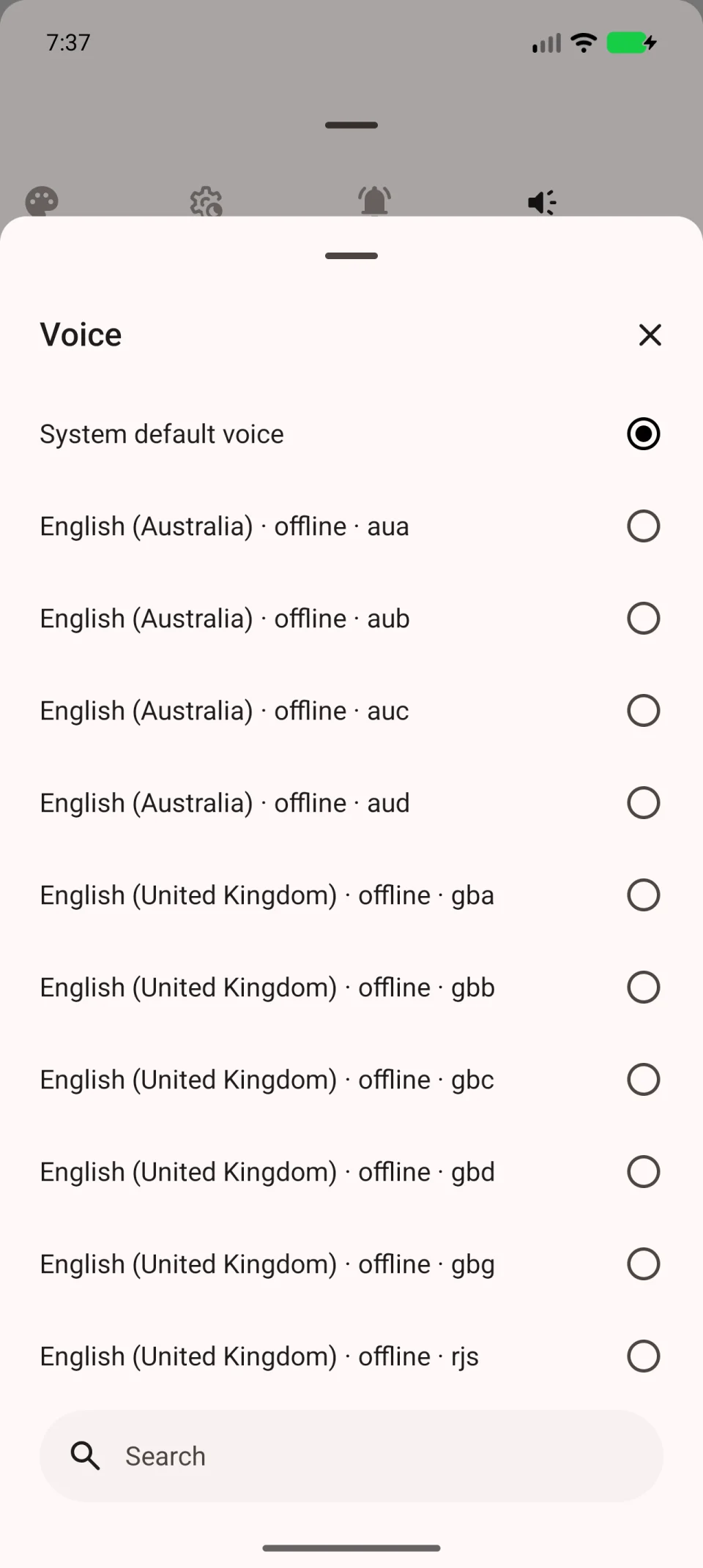
System default voice lets Android choose. It does not mean your language is already installed. Check system text-to-speech settings if no suitable voice appears.
Adjust rate and pitch
On Audio, move Speech rate to speed up or slow down reading. Pitch changes how high or low the voice sounds, not its speed.
Change one setting at a time, return to the chapter and listen to a few lines. This makes it easier to judge the effect.
Prepare offline listening
Find text-to-speech and voice-data installation in Android settings. Section names vary by phone manufacturer. Download the required language data, then reopen the app’s voice list.
Disconnect from the internet and try a chapter. If playback fails, the selected voice may need a connection. Choose an available offline voice and test again.
If only the system default remains or your language is missing, follow text-to-speech troubleshooting.