Smart Bible apps · Android
How to read along with audio
Set automatic scrolling, chapter following and word highlighting while listening in Smart Bible for Android.
Smart Bible team · For version 4.x
Button names match the English interface; screenshots show the English interface.
On this page
During playback, the app can scroll with the voice and open the next chapter. These settings help when listening while following the text on screen.
Open playback-following settings
- Open Bible.
- Tap the underlined A at the top.
- Open Audio, swiping the tabs sideways if needed.
- Find During playback below the voice settings.
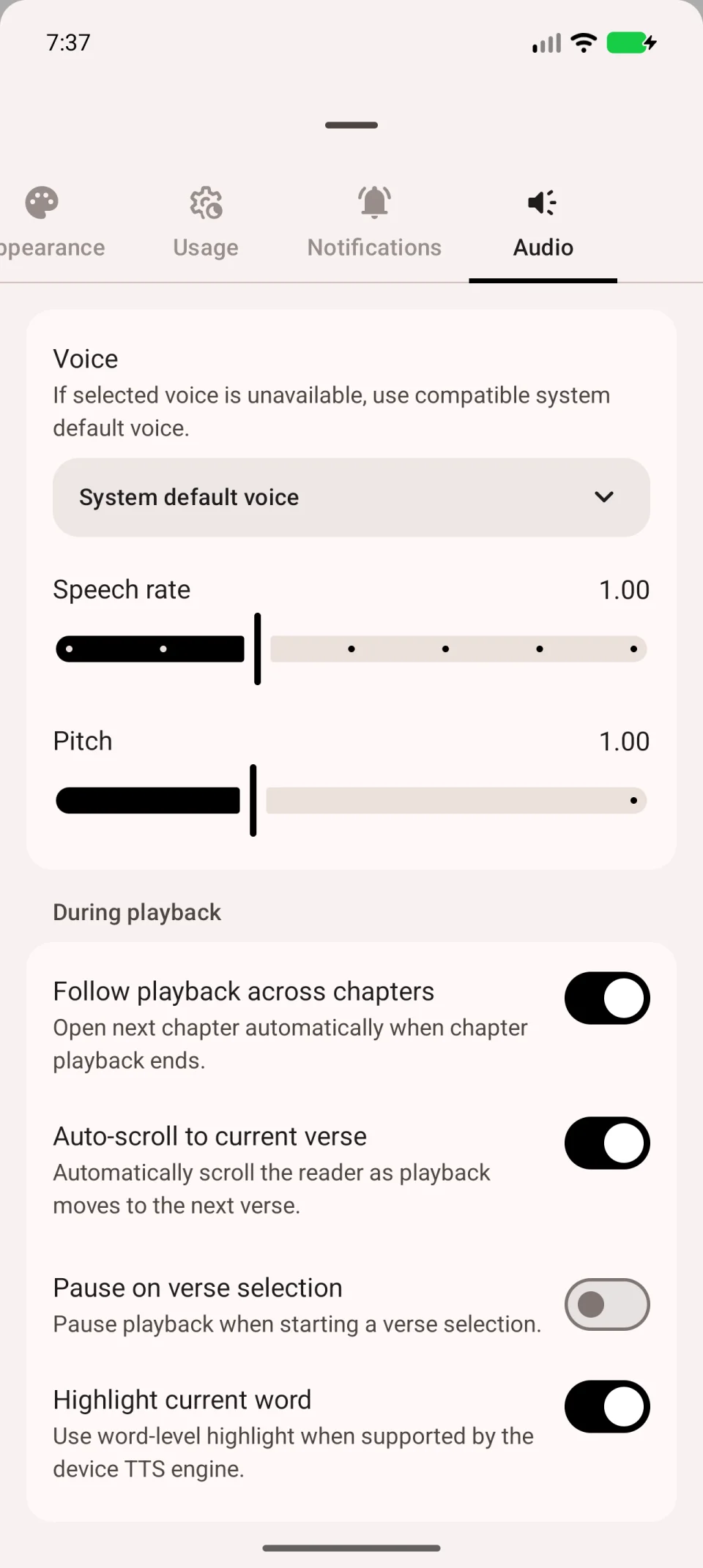
Choose the behaviour
- Follow playback across chapters opens the next chapter when the current one finishes.
- Auto-scroll to current verse keeps the spoken verse on screen.
- Pause on verse selection pauses speech when you select text for an action, such as creating a note.
- Highlight current word highlights the spoken word if the system voice supplies its position.
You can enable these independently. Auto-scroll helps you follow along; turn it off if you want to browse other lines without the screen returning to the spoken verse.
Check the result
Return to the chapter, start playback and wait for the next verse. Check whether the screen follows it. Briefly tap a verse to test pausing.
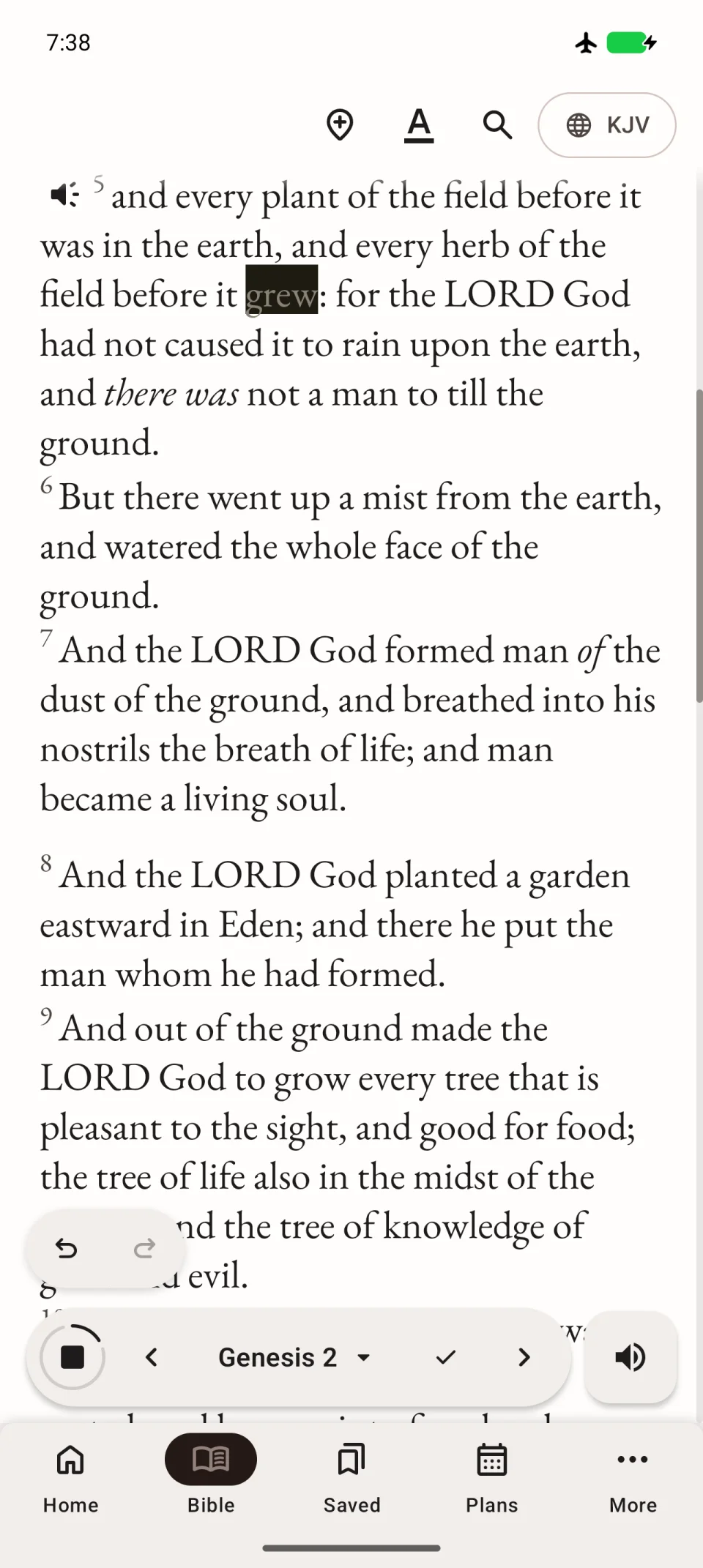
The video shows starting and stopping playback. Configure the following options separately as described above.
If individual words are not highlighted
This depends on the system speech engine. Try another voice. Missing word highlighting alone does not mean that speech or auto-scroll is broken.