Smart Bible apps · Android
How to find passages by topic
Explore passages about a topic, check filters and read results in context in Smart Bible for Android.
Smart Bible team · For version 4.x
Button names match the English interface; screenshots show the English interface.
On this page
Topic search finds passages related in meaning, such as love, hope or prayer. The topic name need not occur in every result. Use it to study a subject when you do not remember an exact quotation.
Choose a topic
- Open More → Search or tap the magnifying glass while reading.
- Clear any words in the search field; otherwise they will further restrict the topic.
- Tap Topic below the field.
- Choose a topic. The example uses Love.
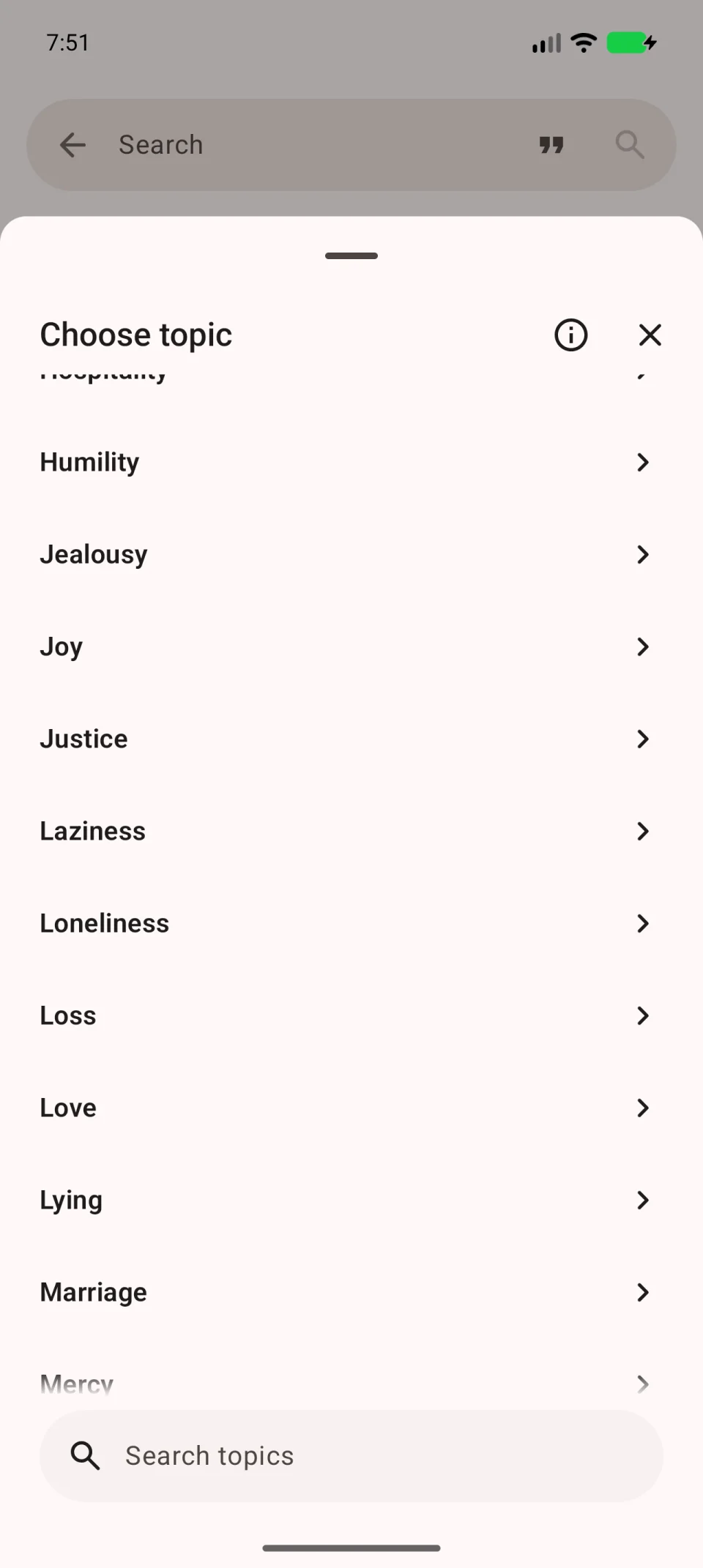
Topic cards on Home also open topic search. Check the translation and other filters after opening one.
Read the results
- Review the passages and their references.
- Tap a passage to open its chapter.
- Read neighbouring verses before saving or sharing a quotation.
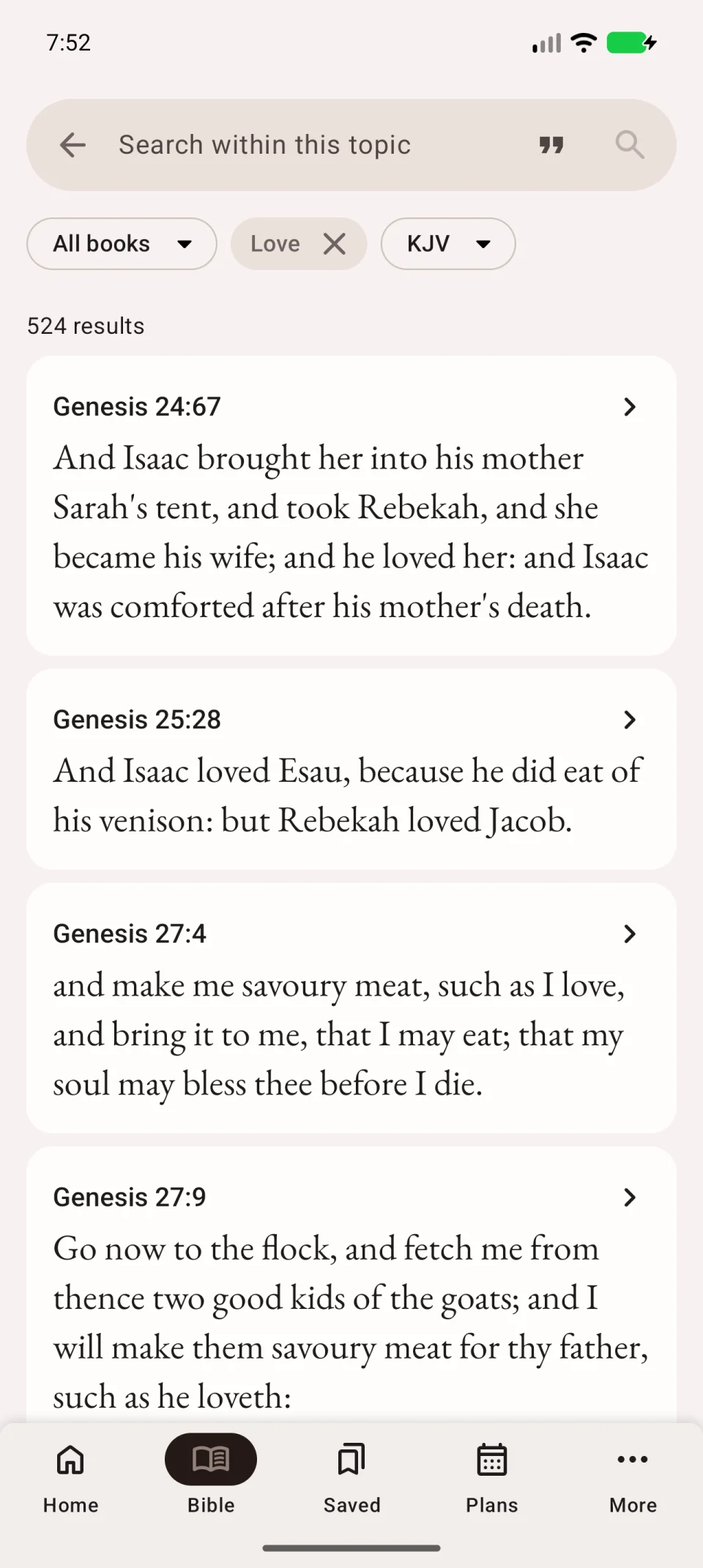
The video selects a topic without an additional word query.
If results are limited or topics are unavailable
Check whether a book filter is active and make sure the search field is empty. Topic, book and word restrictions apply together and can greatly reduce the results.
Topic search is not supported by every translation. Try another translation or use word search. Bookmark a result to find it again without repeating the search.