October 6, 2026 Version 4.0.5

Version 4.0.5 for Android: easier reading and saving

Full-screen reading on wide displays, verse actions at the bottom, and adjustable highlight intensity. Sign-in and sync fixes are also included.

Platforms: android

Smart Bible 4.0.5 for Android makes reading, highlighting verses, and returning to saved passages easier. This update also fixes Google sign-in and synchronization issues.

Full-screen reading and contents

On wide displays, use the button in the top bar to enter full-screen reading. The side navigation disappears, leaving more room for the text.

Contents are now available at the top of the reader, where you can choose a book and chapter.

The screenshots show the Russian interface with the Synodal translation.
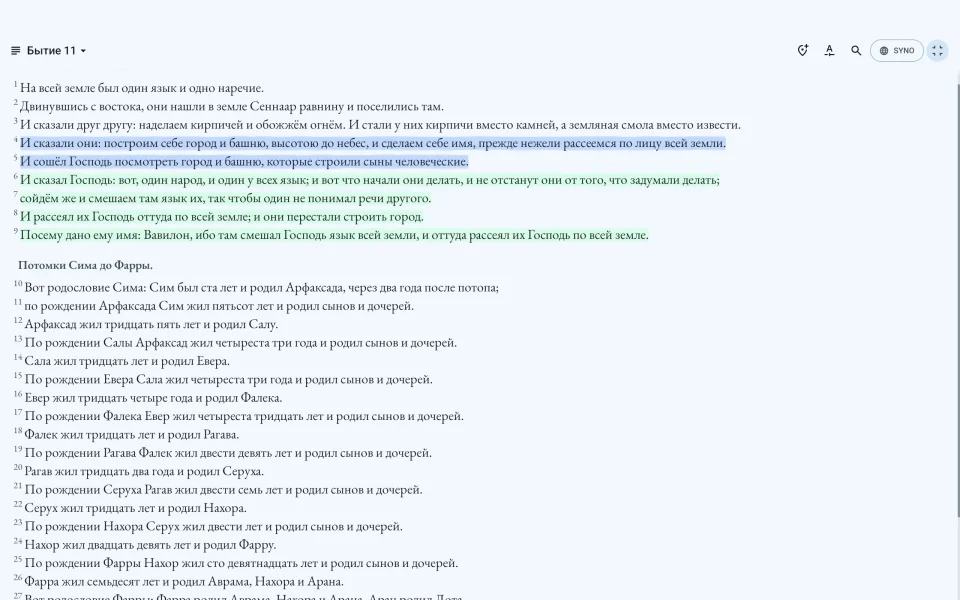
Full-screen reading of Genesis 11 on a wide display, with contents in the top bar, in the Russian interface
Full-screen reading on a wide display, with contents at the top.

Verse actions at the bottom

Select a verse to highlight it, add a bookmark or note, copy the text, or share it. These actions now appear at the bottom of the screen by default.

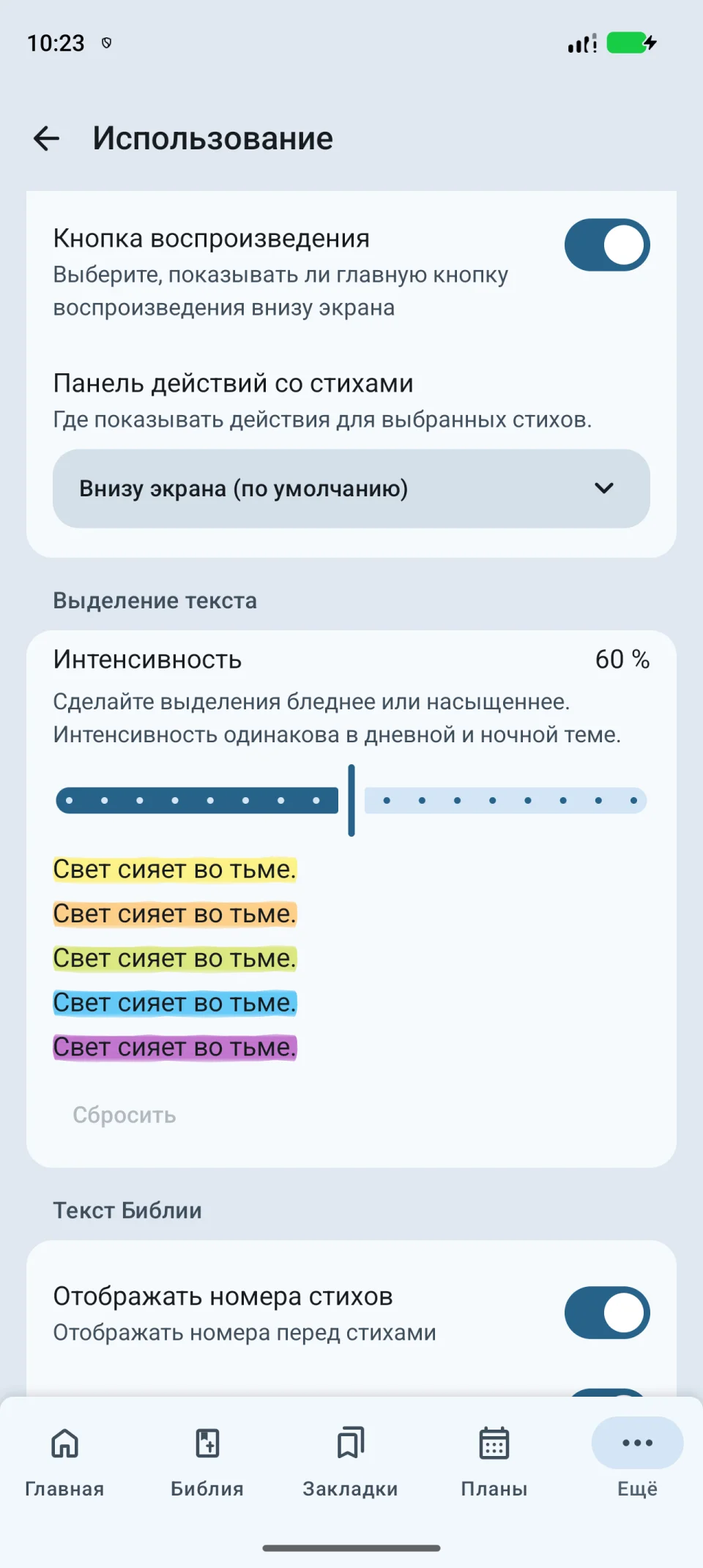
If you prefer them next to the selected verse, change their position in Settings → Usage → Verse action toolbar.

Your choice of highlights and font

You can now make colored highlights softer or stronger. Open Settings → Usage → Text highlights and adjust the intensity; the color samples show the result immediately. Text is also easier to read on colored backgrounds.

Your chosen font now applies in search and notes too.
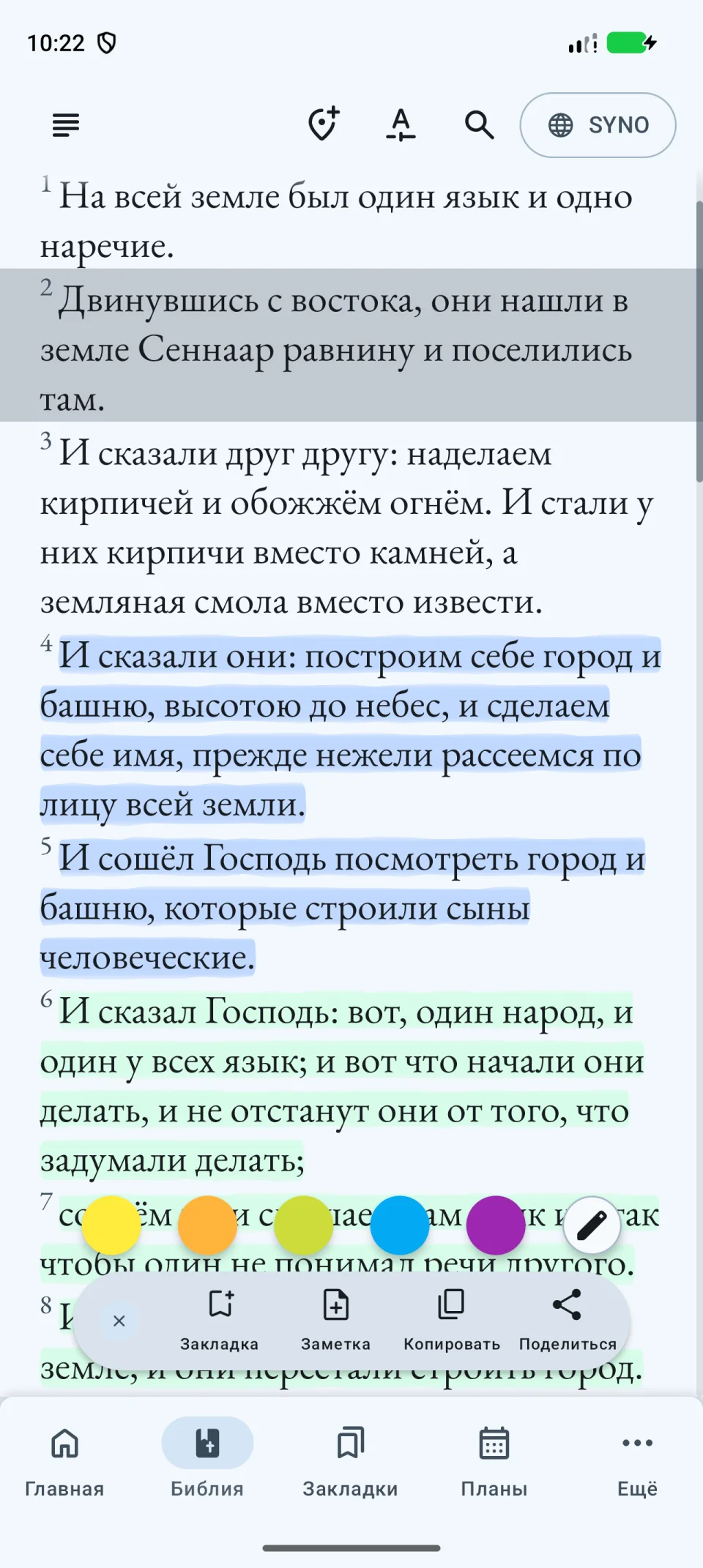
A selected verse in Genesis 11 with highlight colors, bookmark, note, copy, and share actions at the bottom, in the Russian interface
Highlight colors and verse actions at the bottom of the screen.
Toolbar position and highlight intensity settings with five color samples, in the Russian interface
Choose the toolbar position and highlight intensity.

Sign-in, plans, and sync

  • Fixed Google sign-in.
  • Fixed reading plan restoration after sign-in. If needed, you can download a plan again from its page.
  • Fixed synchronization of bookmarks, notes, and highlights.
  • Improved interface translations.

Update the app on Google Play

Linked apps

Install Bible to your device

App available!

Read “American Bible Union New Testament 1865” in the app

Read offline, search for verses, save bookmarks and keep personal notes.

Google Play

App available!

Read “Almeida Corrigida Fiel Bible (ACF)” in the app

Read offline, search for verses, save bookmarks and keep personal notes.

Google Play

App available!

Read “American Standard Version 1901” in the app

Read offline, search for verses, save bookmarks and keep personal notes.

Google Play

App available!

Read “Bible in Basic English” in the app

Offline access, bookmarks, highlights, quick navigation, and verse search.

Google Play

App available!

Read “Casiodoro de Reina Bible (1569)” in the app

Read offline, search for verses, save bookmarks and keep personal notes.

Google Play

App available!

Read “Jerusalem Bible (French translation)” in the app

Offline access, bookmarks, highlights, quick navigation, and verse search.

Google Play

App available!

Read “King James Version” in the app

Offline access, bookmarks, highlights, quick navigation and search.

App StoreGoogle Play

App available!

Read “Louis Segond Bible 1910” in the app

Offline access, bookmarks, highlights, quick navigation, and verse search.

App StoreGoogle Play

App available!

Read “Luther Bible 1912” in the app

Read offline, save bookmarks, highlight verses and keep personal notes.

Google Play

App available!

Read “Reina-Valera 1960” in the app

Offline access, bookmarks, highlights, and fast navigation by books and chapters.

App StoreGoogle Play

App available!

Read “Holy Scriptures 1569” in the app

Read offline, search for verses, save bookmarks and keep personal notes.

Google Play

App available!

Read “English–Swahili Bible (KJV)” in the app

Read offline, search for verses, save bookmarks and keep personal notes.

Google Play

App available!

Read “Synodal Translation” in the app

Offline access, bookmarks, highlights and fast verse search.

App StoreGoogle Play

App available!

Read “English–Tagalog Bible (KJV)” in the app

Read offline, search for verses, save bookmarks and keep personal notes.

Google Play

App available!

Read “Tamil Bible” in the app

Read offline, search for verses, save bookmarks and keep personal notes.

Google Play

App available!

Read “Indonesian Bible — Terjemahan Baru 1974” in the app

Read offline, search for verses, save bookmarks and keep personal notes.

Google Play

App available!

Read “Ukrainian Bible — Turkoniak Translation 2011” in the app

Read offline, search for verses, save bookmarks and keep personal notes.

Google Play